7
Introduction—Getting to Know the COOLPIX 2000
FINE
AUTO
8
1632
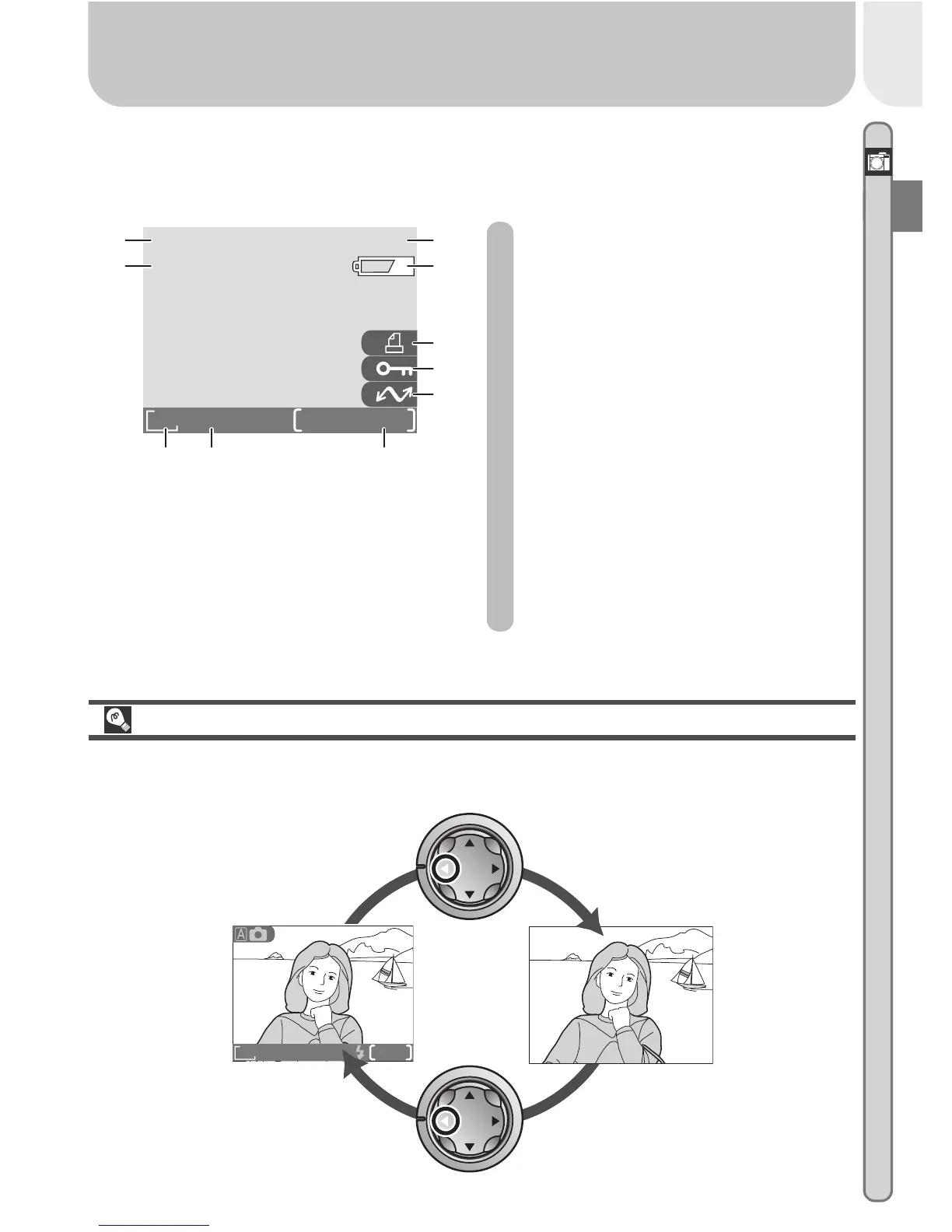
The monitor is also used to view pictures after they have been taken. When a
picture is displayed full screen, information about the image is shown super-
imposed on the photo.
Controlling the Monitor
To hide camera settings or photo info, press the multi selector to the left.
Press the multi selector to the left a second time to view indicators again.
Indicators
hidden
Indicators
displayed
1 File number and type............. 47
2 Battery level indicator
*
........... 17
3 Print-order icon ..................... 71
4 Protect icon ..................... 67, 70
5 Transfer icon.......................... 75
6 Current frame number/
total number of frames
7 Image quality ........................ 57
8 Image size ............................. 57
9 Time of recording .................. 13
10 Date of recording .................. 13
* Appears only when battery is running low.
FINE
9999/9999
1632
2002














 To Next Page