50
Basic Playback
Creating a Small Copy of a Picture: Small Picture
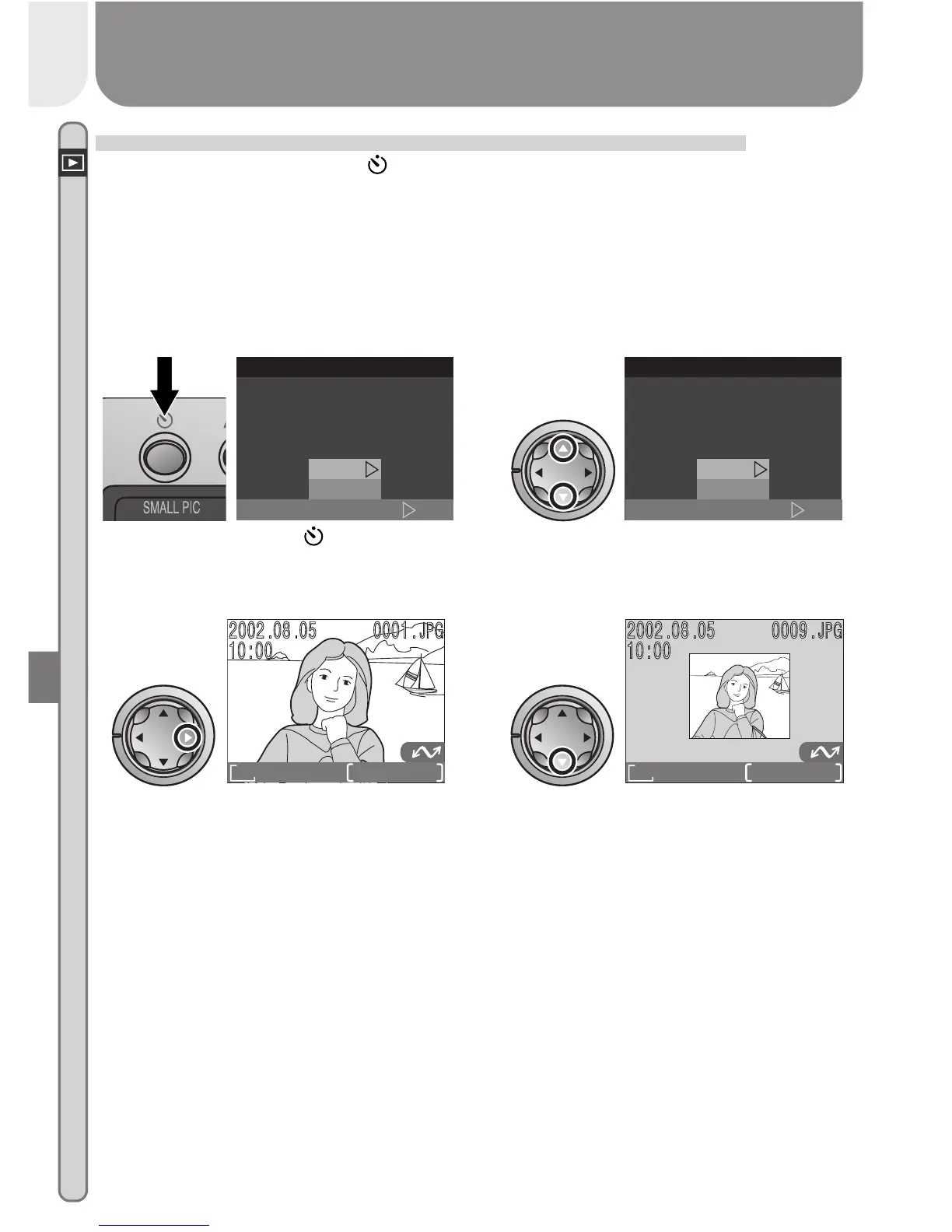
Pressing the SMALL PIC. ( ) button in full-frame playback creates a small
copy of the current picture. Copies are 320 × 240 pixels in size and have an
image quality of BASIC, making them ideal for distribution by e-mail or for
use in web pages.
To create a small copy of the picture currently displayed in full-frame play-
back:
Press SMALL PIC. ( ) button to
display confirmation dialog
1
SET
S
m
al l Pic
small picture file ?
Creating
No
Ye s
Highlight Yes (to exit without creat-
ing copy, highlight No and press
multi selector to right)
2
SET
S
m
al l Pic
small picture file ?
Creating
No
Ye s
Create small copy and return to
playback mode with original picture
displayed
3
FINE
1632
0001/0008
To view copy, press multi selector
down (copy will appear after last
picture recorded). Copy has same
time and date of creation as original.
BASIC
320
0009/0009
4














 To Next Page