EasyManua.ls Logo

Nikon CoolPix 2000 - The Shooting Menu: Fine-Tuning Shooting Options; Menu Button; Shooting Menu

Nikon CoolPix 2000
104 pages
Print Icon
To Next Page IconTo Next Page
To Previous Page IconTo Previous Page
Loading...
54
Menu Guide—The Shooting Menu
The Shooting Menu
Fine-Tuning Shooting Options
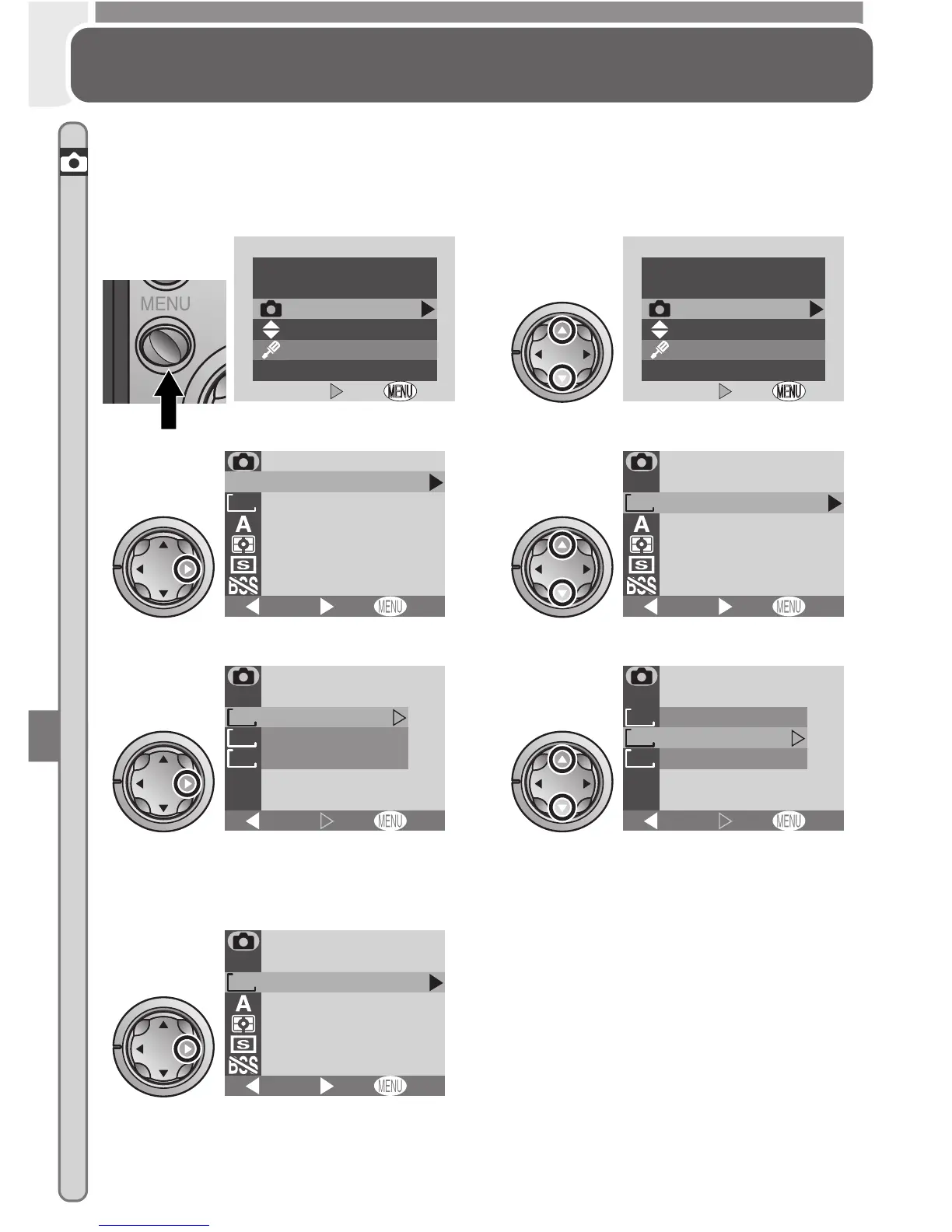
In shooting mode, changes to some settings are made with the help of the
shooting menu.
To make selections from the shooting menu:
To return to the menu selection page
when the main shooting menu is dis-
played, press the multi selector to the
left. To exit the menus and return to
shooting mode at any time, press the
MENU button.
Highlight SHOOTING MENU
2
OFF

OFF
MENU
Set
Set
Shooting menu
Setup menu
Press MENU button
1
OFF
OFF
MENU
Set
Set
Shooting menu
Setup menu
Display shooting menu
3
FINE
1632
OFF
White balance
Image quality
Image size
Continuous
Metering
Best shot selector
BK
SHOOTING MENU
Set
Highlight menu item
4
FINE
1632
OFF
White balance
Image quality
Image size
Continuous
Metering
Best shot selector
BK
SHOOTING MENU
SHOOTING MENU
Set
Display options
5
1632
1024
640
OFF
1632 1224
X
1024
768
X
640
480
X
IMAGE SIZE
Set
BK
Highlight option
(to return to previous menu, press
multi selector to left)
6
1632
1024
640
OFF
1632 1224
X
1024
768
X
640
480
X
IMAGE SIZE
IMAGE SIZE
Set
BK
Make selection
7
FINE
1024
OFF
White balance
Image quality
Image size
Continuous
Metering
Best shot selector
BK
SHOOTING MENU
Set

Table of Contents

Related product manuals