33
Connections—Connecting to a Computer
2
Select the pictures to be transferred
In quick review ( 22) or playback mode (
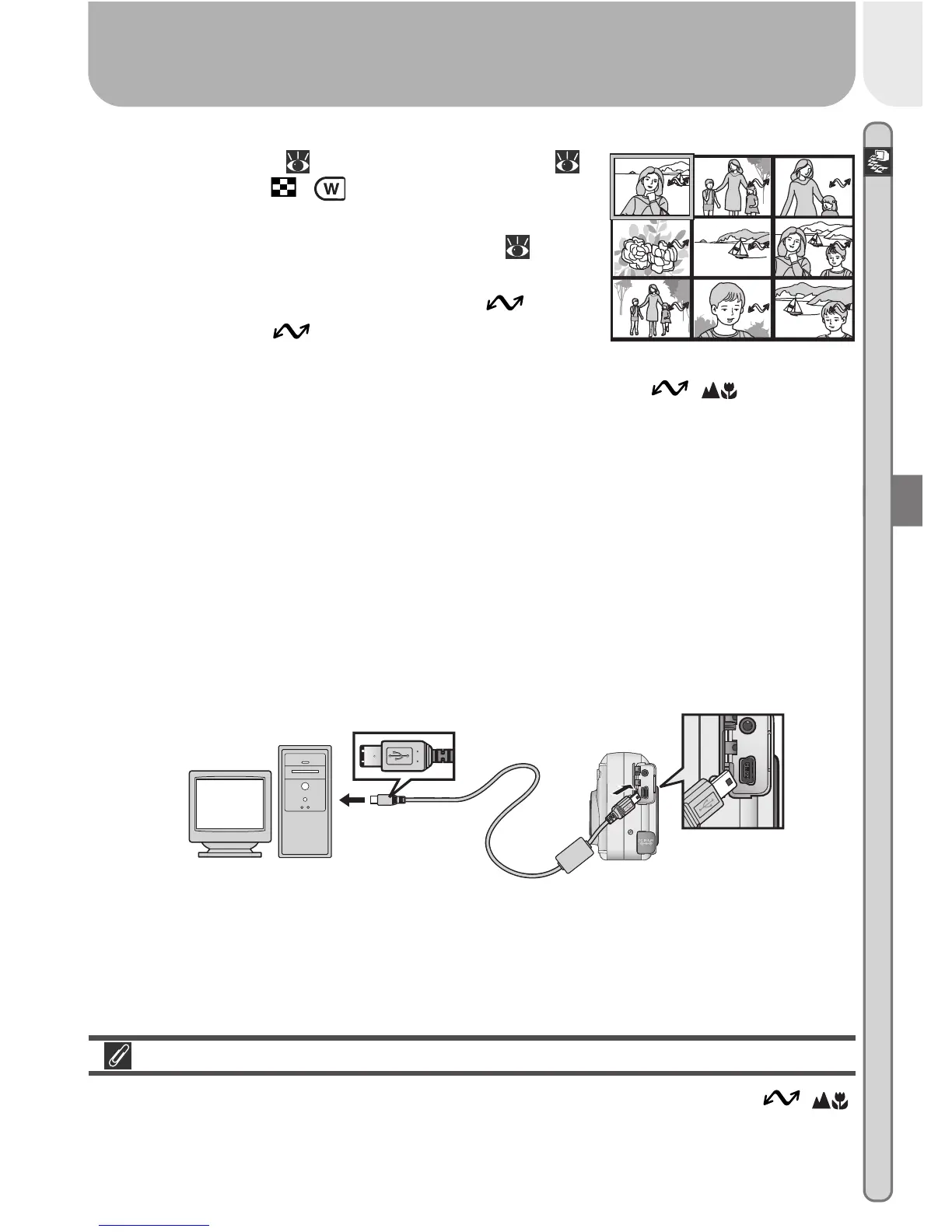
46), press the ( ) button to display the
pictures on the memory card in “contact
sheets” of four or nine thumbnails ( 48).
Confirm that only the pictures you want to copy
to the computer are marked with a icon.
To remove the icon from a picture, or to
select an unmarked picture for transfer, high-
light the image with the multi selector and press the ( ) button.
3
Turn the camera off
Turn the camera off before connecting the USB cable.
4
Turn the computer on
Turn the computer on and wait for the operating system to start up.
5
Connect the camera and computer
Connect the UC-E5 USB cable as shown below. Use the flat connector for
connection to the computer, and connect the other end of the cable to the
camera’s USB connector. Do not connect the camera via a USB hub or
keyboard.
Transferring More than 999 Pictures
No more than 999 pictures can be transferred at one time using the ( )
button. To copy more pictures, use Nikon View 5. See the Nikon View 5
Reference Manual (on CD) for details.
1
4
7
2
5
8
3
6
9














 To Next Page