3
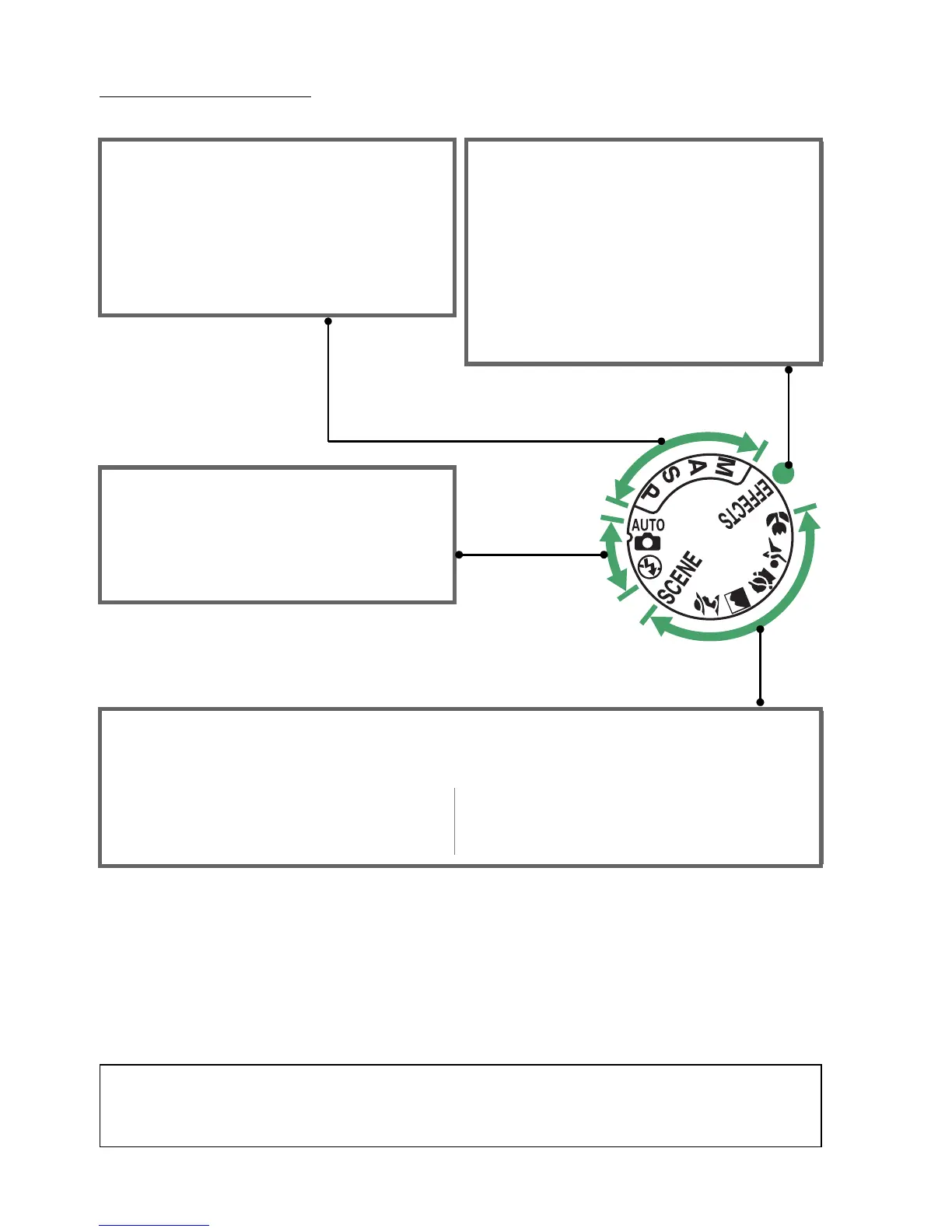
The Mode Dial
The camera offers a choice of the following shooting modes:
P, S, A, and M Modes
Select these modes for full control over
camera settings.
• P—Programmed auto (0 56)
• S—Shutter-priority auto (0 57)
• A—Aperture-priority auto (0 58)
• M—Manual (0 59)
Special Effects Modes
Use special effects during shooting.
• % Night vision (0 112)
• g Color sketch (0 112, 114)
• ( Miniature effect (0 112, 115)
• 3 Selective color (0 113, 116)
• 1 Silhouette (0 113)
• 2 High key (0 113)
• 3 Low key (0 113)
Auto Modes
Select these modes for simple, point-and-
shoot photography.
• i Auto (0 21)
• j Auto (flash off) (0 21)
Scene Modes
The camera automatically optimizes settings to suit the scene selected with the mode dial.
Match your selection to the scene being photographed.
• k Portrait (0 24)
• l Landscape (0 24)
• p Child (0 25)
• m Sports (0 25)
• n Close up (0 25)
• h Other scenes (0 26)
A Scene Auto Selector (Live View)
Selecting live view in i or j mode enables automatic scene selection (“scene auto
selector”; 0 98) when autofocus is used.



 To Next Page