160
This option determines how long the monitor remains on if no operations are
performed during menu display and playback (Playback/menus), while
photographs are displayed in the monitor after shooting (Image review), and during
live view (Live view), and how long the standby timer, viewfinder, and information
display remain on when no operations are performed (Standby timer).
Choose
shorter auto-off delays to reduce the drain on the battery.
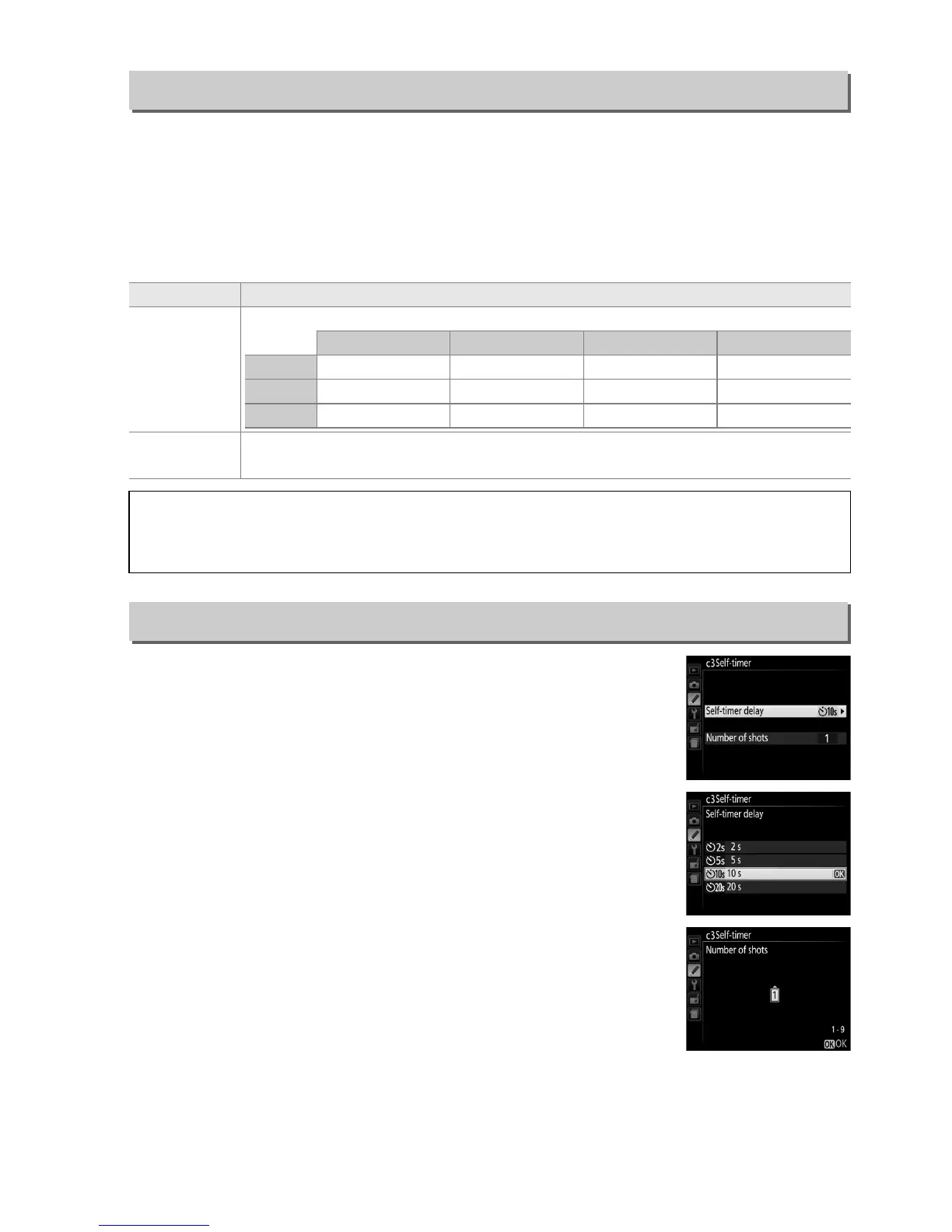
Choose the length of the shutter release delay and the number
of shots taken.
• Self-timer delay: Choose the length of the shutter-release delay.
• Number of shots: Press 1 and 3 to choose the number of shots
taken each time the shutter-release button is pressed (from 1
to 9; if a value other than 1 is selected, shots will be taken at
4s intervals).
c2: Auto off Timers
G button ➜ A Custom Settings menu
Option Description (all times are approximate)
C Short
D Normal
E Long
Auto off timers are set to the following values:
Playback/menus Image review Live view Standby timer
Short 20 s 4 s 5 min. 4 s
Normal 1 min. 4 s 10 min. 8 s
Long 5 min. 20 s 20 min. 1 min.
F Custom
Choose separate delays for Playback/menus, Image review, Live view, and
Standby timer.
When settings are complete, press J.
A Auto off Timers
The monitor and viewfinder will not turn off automatically when the camera is connected to
a computer or printer via USB.
c3: Self-Timer
G button ➜ A Custom Settings menu



 To Next Page