94
Focusing in Live View
Follow the steps below to choose focus and AF-area modes and position the focus
point.
❚❚ Choosing a Focus Mode
The following focus modes are available in live view (note that full-time–servo AF is
not available in g and ( modes):
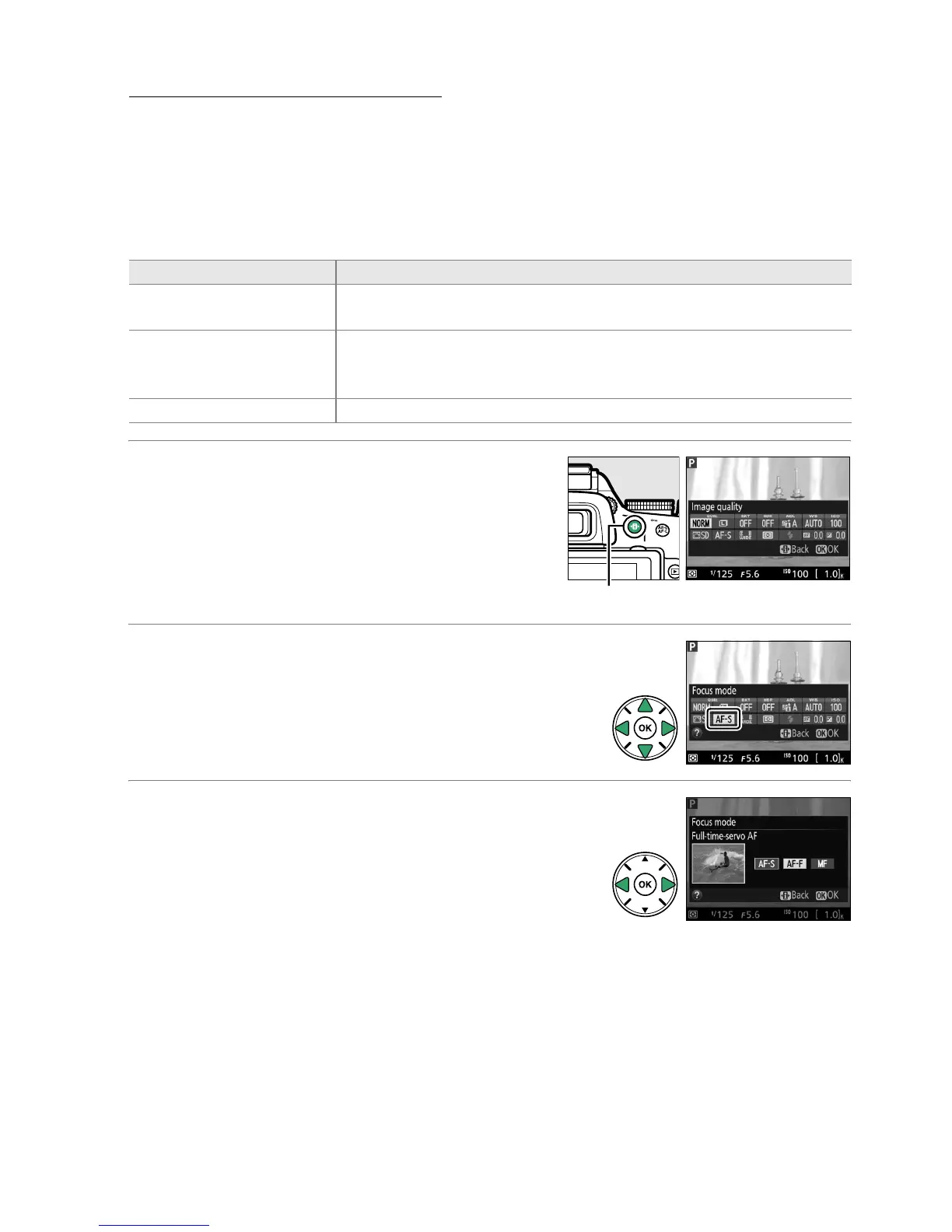
1 Place the cursor in the information
display.
Press the P button to place the cursor in the
information display.
2 Display focus options.
Highlight the current focus mode in the
information display and press J.
3 Choose a focus option.
Highlight an option and press J.
To return to live
view, press P.
Option Description
AF-S Single-servo AF
For stationary subjects.
Focus locks when shutter-release button is
pressed halfway.
AF-F Full-time-servo AF
For moving subjects.
Camera focuses continuously until shutter-
release button is pressed.
Focus locks when shutter-release
button is pressed halfway.
MF Manual focus Focus manually (0 100).
P button



 To Next Page