14
First Steps
Always turn the camera off before inserting or removing batteries or memory cards.
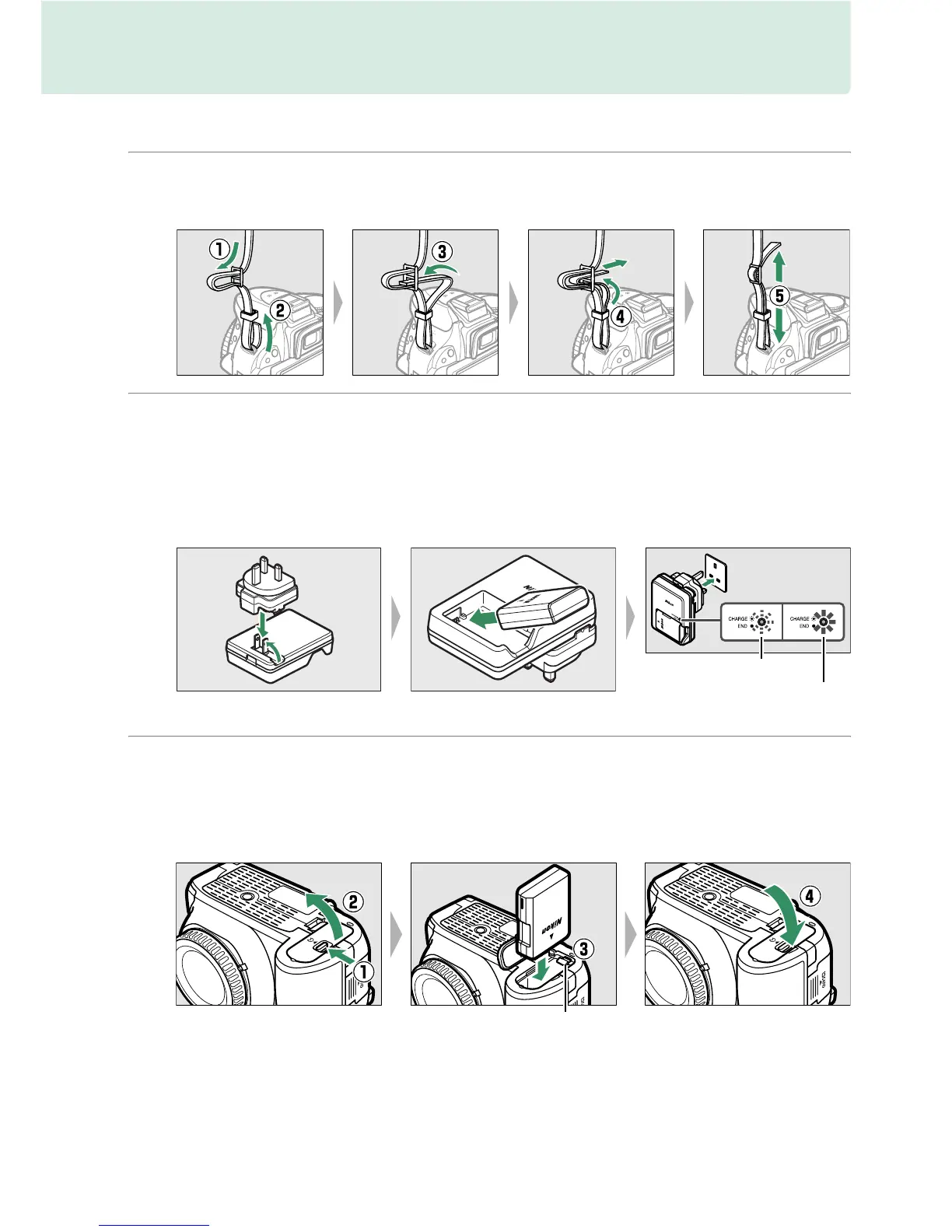
1 Attach the strap.
Attach the strap securely to the two eyelets on the camera body as shown below.
2 Charge the battery.
If a plug adapter is supplied, raise the wall plug and connect the plug adapter
as shown below at left, making sure the plug is fully inserted.
Insert the battery
and plug the charger in.
An exhausted battery will fully charge in about 1 hour
and 30 minutes.
3 Insert the battery.
Insert the battery in the orientation shown, using the battery to keep the
orange battery latch pressed to one side.
The latch locks the battery in place
when the battery is fully inserted.
Battery latch
Battery charging
Charging complete



 To Next Page