Playback
and
Deletion
Photographs are
automatically
displayed
for a few seconds after shooting.
If
no
photograph
is
displayed in the monitor, the most recent picture
can
be
viewed by
pressing
the
[B
button.
Viewing
PhotograiJhs
m3
-
,-
-
~~~~h~
-
EBb~;;~~
--
---
·--
- -
-
----~-~
-
-
---
--
---~
----
-
-----
------~--
--
--
----··"-··
-
--
-
-
-
22
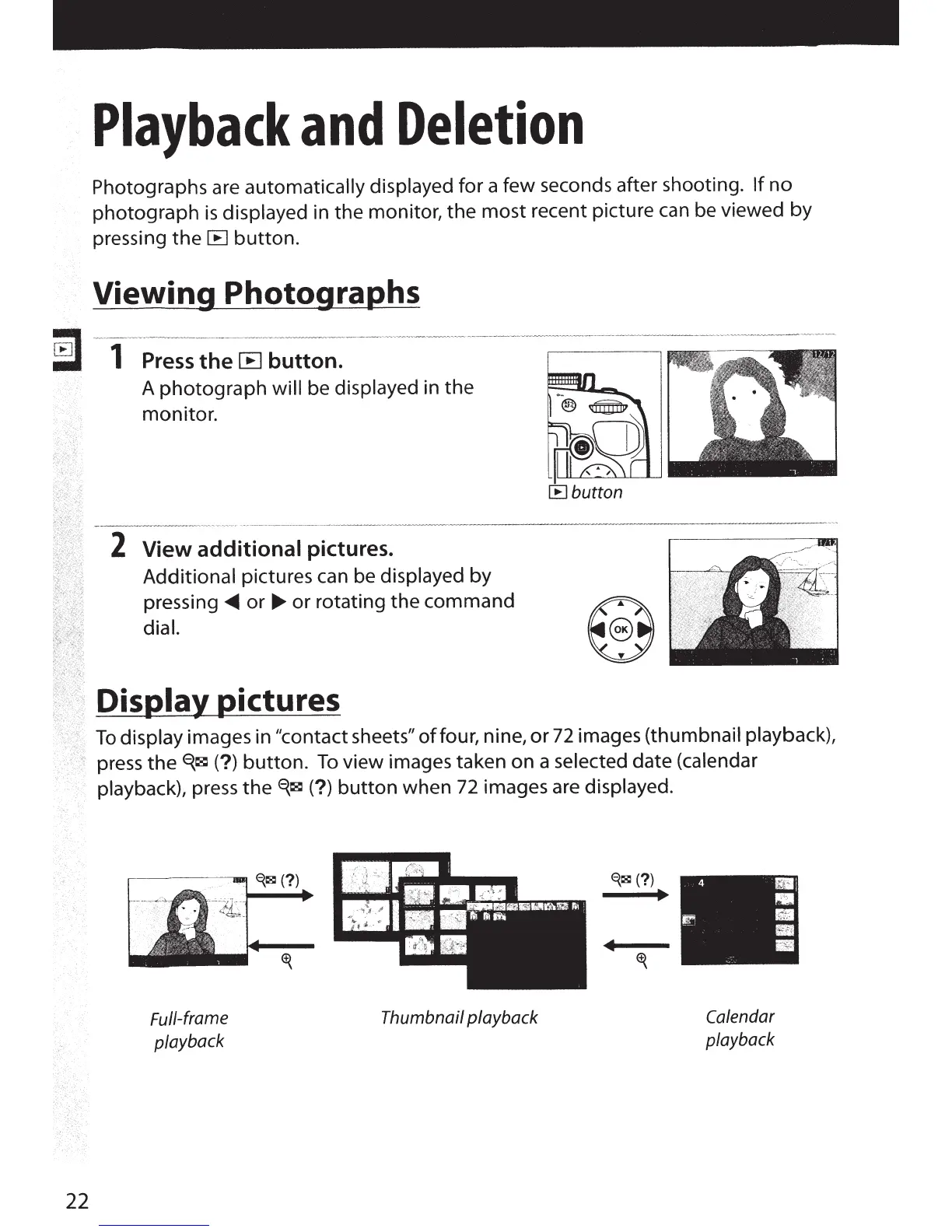
A photograph
will
be displayed in the
monitor.
2
View additional pictures.
Additional pictures can be
displayed
by
pressing
~
or
~
or rotating the command
dial.
DisiJia}'
13ictures
To
display images in
~~contact
sheets"
of
four, nine,
or
72
images (thumbnail playback),
press
theE{~(?)
button.
To
view images taken on a selected date (calendar
playback), press
the
<i~
(?)
button
when
72
images are displayed.
Full-frame
playback
Thumbnail playback
4
111
1
•
m •
---
Ill
Calendar
playback
Ill



 To Next Page