Chapter 3 Names of Parts and Their Functions
1 DS Camera Control Unit DS-U1
- 5 -
3
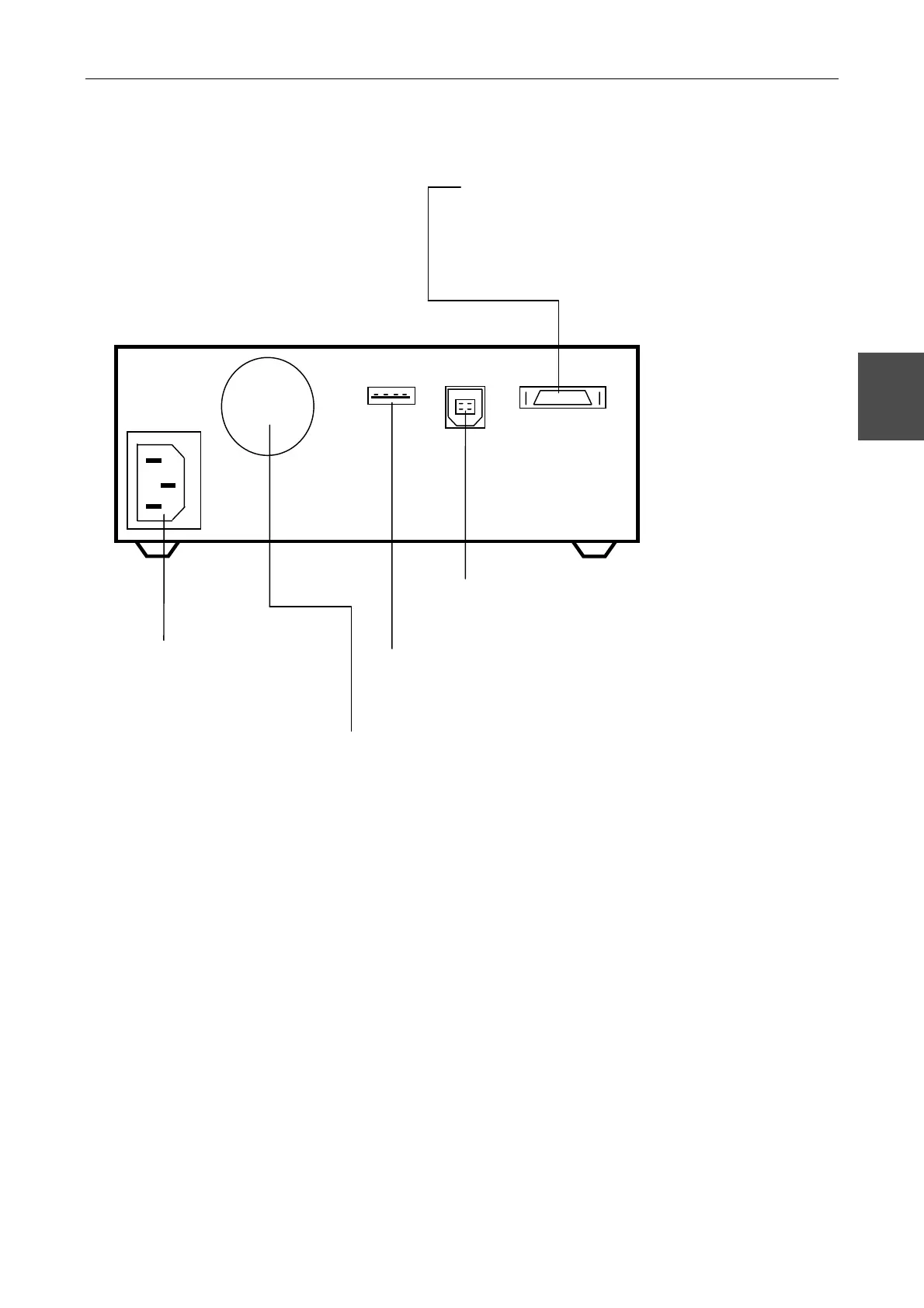
Rear side of the DS-U1
内蔵 LCD
1024×768 ドット
6.3 インチディスプレイ
Camera connector
Connect the DS Camera Head DS-5M or DS Cooled Camera
Head DS-5Mc to this connector.
* Be sure to turn off power before connecting or
disconnecting the connector. Equipment malfunctions
can occur if the connector is connected or disconnected
while the unit is on.
USB device port
Connect the USB cable from the PC.
USB host port
Connect your Nikon 80i/90i upright
microscope.
Ventilation hole
For internal cooling
AC-IN power terminal
Connect the provided
power cord.



 To Next Page