Chapter 3 Names of Parts and Their Functions
1 DS Camera Control Unit DS-U1
- 4 -
3
Names of Parts and Their Functions
1
DS Camera Control Unit DS-U1
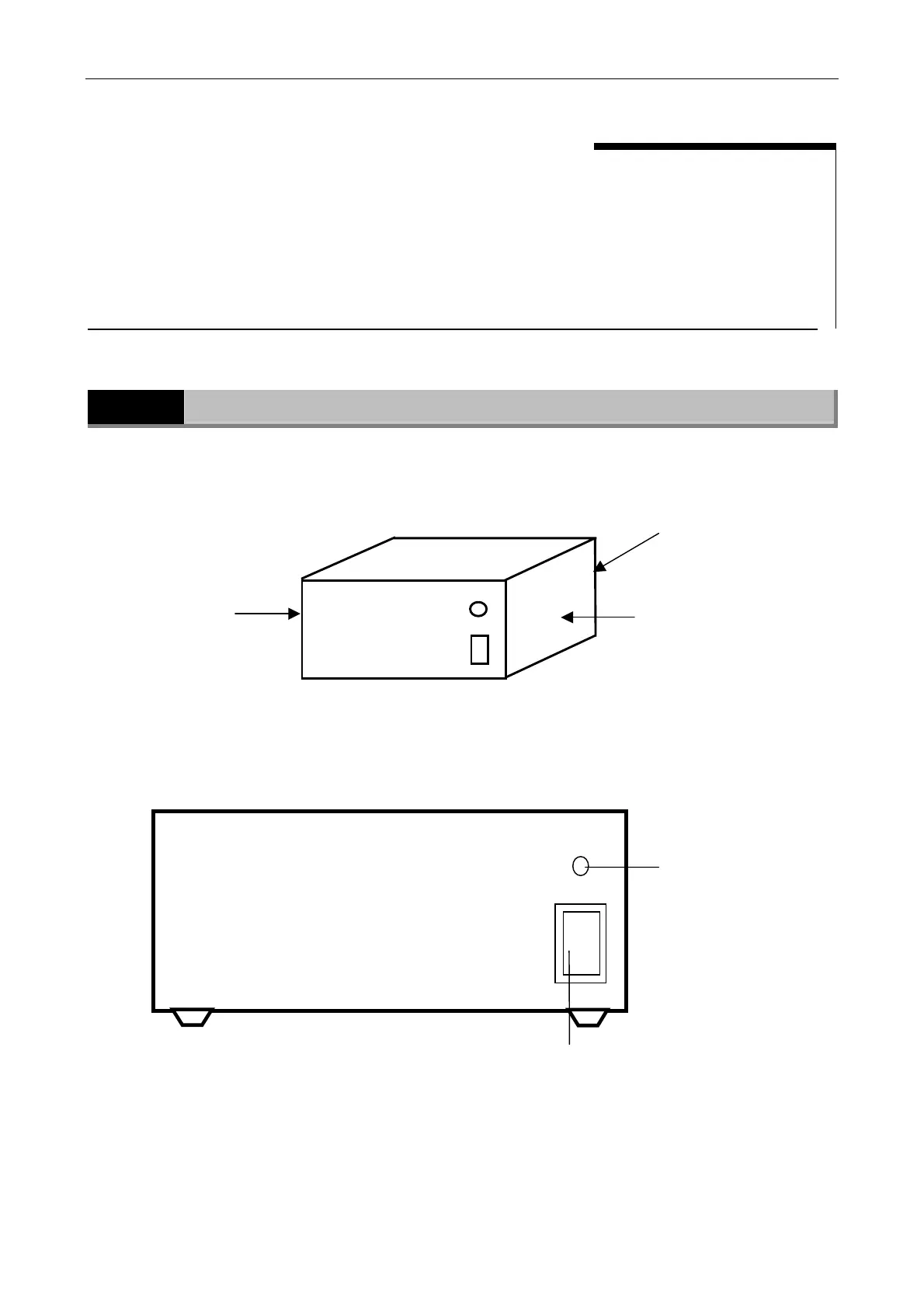
External appearance of the DS-U1
Front side of the DS-U1
POWER indicator
When power is turned on, the
indicator first flashes orange,
then turns to green.
When the indicator turns to
green, the DS-U1 is ready for
operation.
POWER switch
This switch turns the power ON or OFF.
Press the side of the switch to switch on
power; press the O side to turn off power.
|
O
Nikon
DIGITAL SIGHT DS-U1
POWER
POWER
Nikon
DIGITAL SIGHT DS-U1
I
o
Ventilation hole
(on the rear side):
For internal cooling
Ventilation hole
(on the left side):
For internal cooling
Ventilation hole
(on the right side):
For internal cooling



 To Next Page