Chapter 6 Installing the Device Driver
2 Installing the DS-U1 Driver
- 26 -
2.4
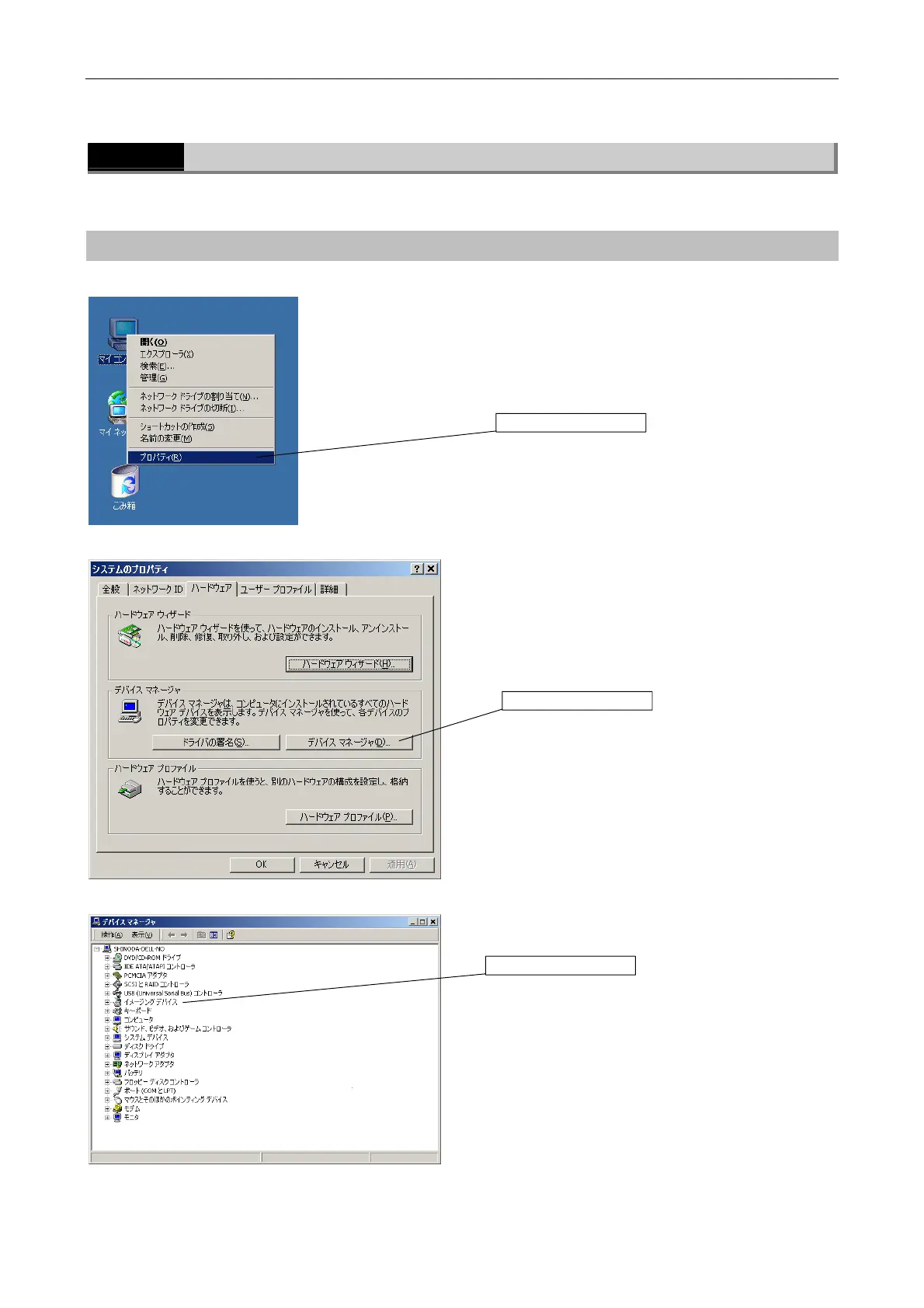
Checking the Camera Connection
Do the following to make sure that the camera is properly connected.
Operating procedures
u [My Computer] menu
Right-click the [My Computer] icon and select
[Properties].
u System Properties
Select the [Hardware] tab, then click [Device Manager
(D)].
u Device manager
Click [Imaging device] to expand.
Click here.
Click here.
Click here.



 To Next Page