Chapter 6 Installing the Device Driver
2 Installing the DS-U1 Driver
- 25 -
6
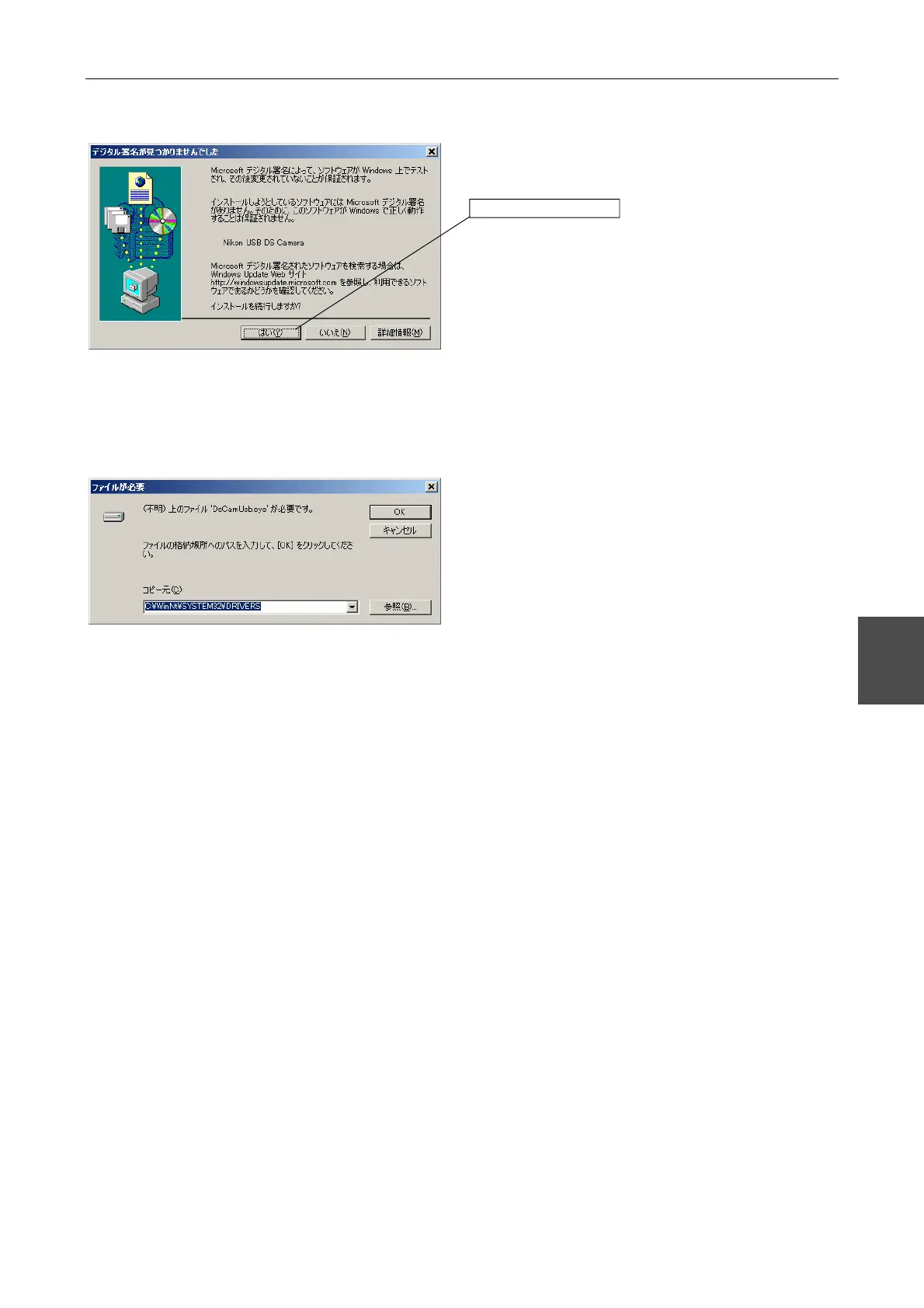
Click [Yes (Y)].
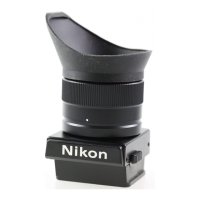
The folder in which the driver is installed must be
specified.
Check that the system folder is indicated.
If the system folder is not specified as the file location,
click [Browse].
Set the file location to [DRIVERS] in the system folder.
[DRIVERS] is usually located in the following
directory.
Windows 2000
C:\WINNT\SYSTEM32\DRIVERS
Windows XP
C:\WINDOWS\SYSTEM32\DRIVERS
* Supplementary information
If you cannot find "Imicusb.sys", specify the
following folder.
C:\Program Files\Nikon\Shared\Drivers
Click here.



 To Next Page