Chapter 6 Installing the Device Driver
2 Installing the DS-U1 Driver
- 24 -
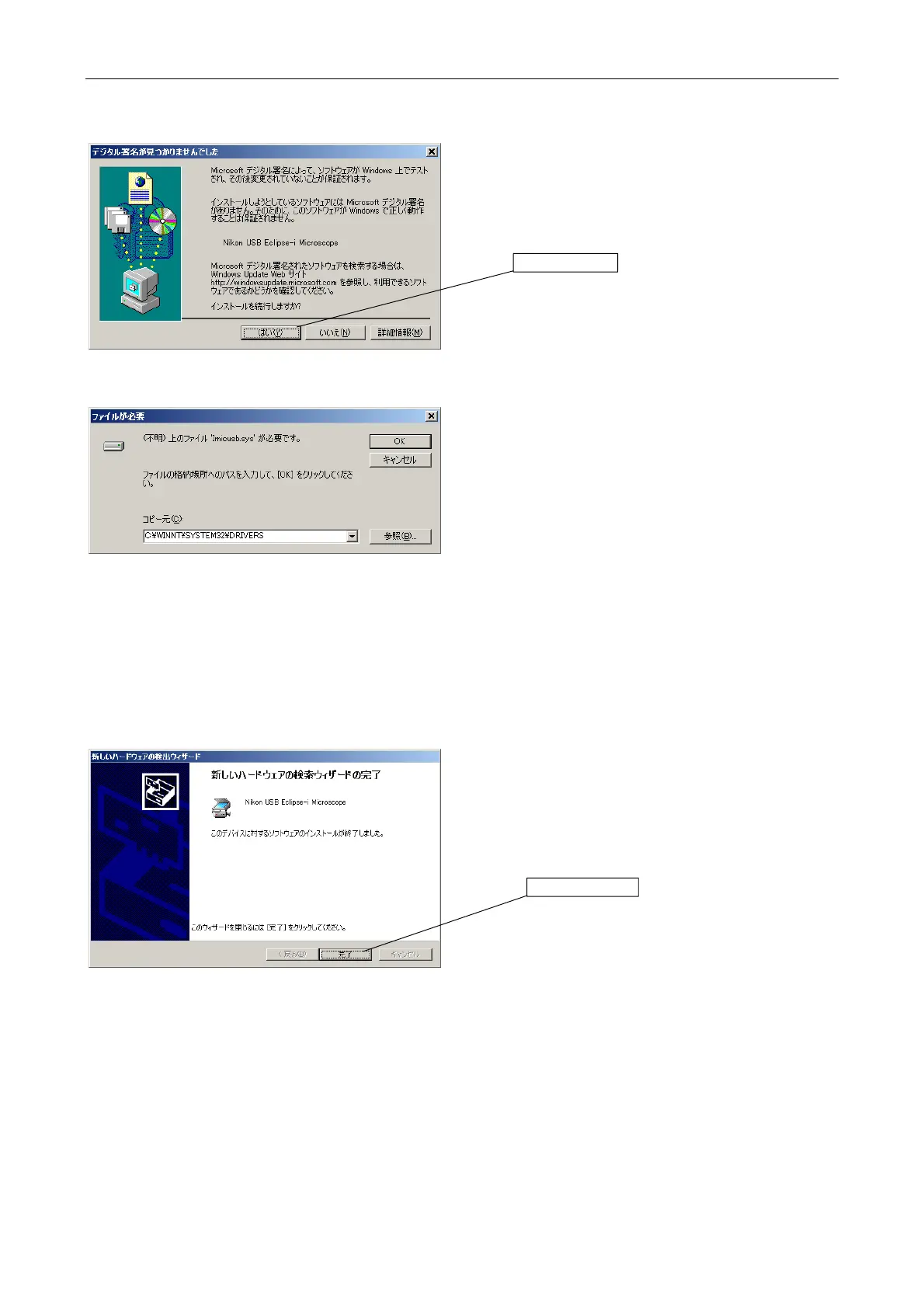
Click [Yes (Y)].
The folder in which the driver is to be installed must be
specified.
Check that the system folder is indicated.
If the system folder is not specified as the file location,
click [Browse].
Set the file location to [DRIVERS] in the system folder.
[DRIVERS] is usually located in the following
directory.
Windows 2000
C:\WINNT\SYSTEM32\DRIVERS
Windows XP
C:\WINDOWS\SYSTEM32\DRIVERS
* Supplementary information
If you cannot find "Imicusb.sys", specify the
following folder.
C:\Program Files\Nikon\Shared\Drivers
Click [Finish].
Click here.
Click here.



 To Next Page