Chapter 6 Installing the Device Driver
2 Installing the DS-U1 Driver
- 22 -
2.3
Connecting the DS-U1
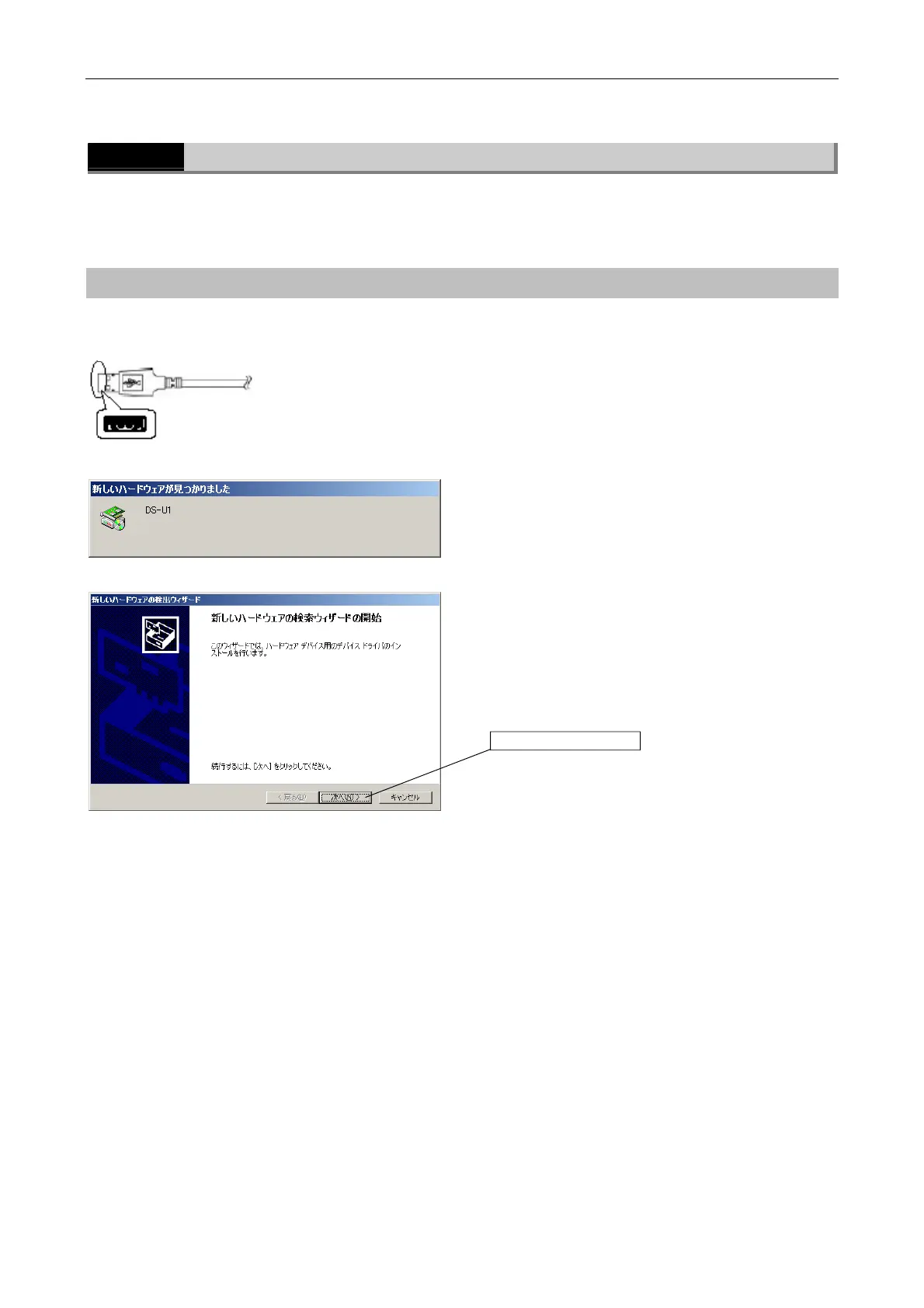
After the DS-U1 driver is installed, connect the DS-U1.
When the DS-U1 is connected to the PC for the first time, install the driver by the procedure
given below.
Operating procedures
u Connecting the USB connector
Connect the USB A connector on the USB cable to the
PC.
Then turn on power for the DS-U1.
u [Found New Hardware Wizard] dialog box
Click [Next].
Click here.
USB A connector



 To Next Page