14
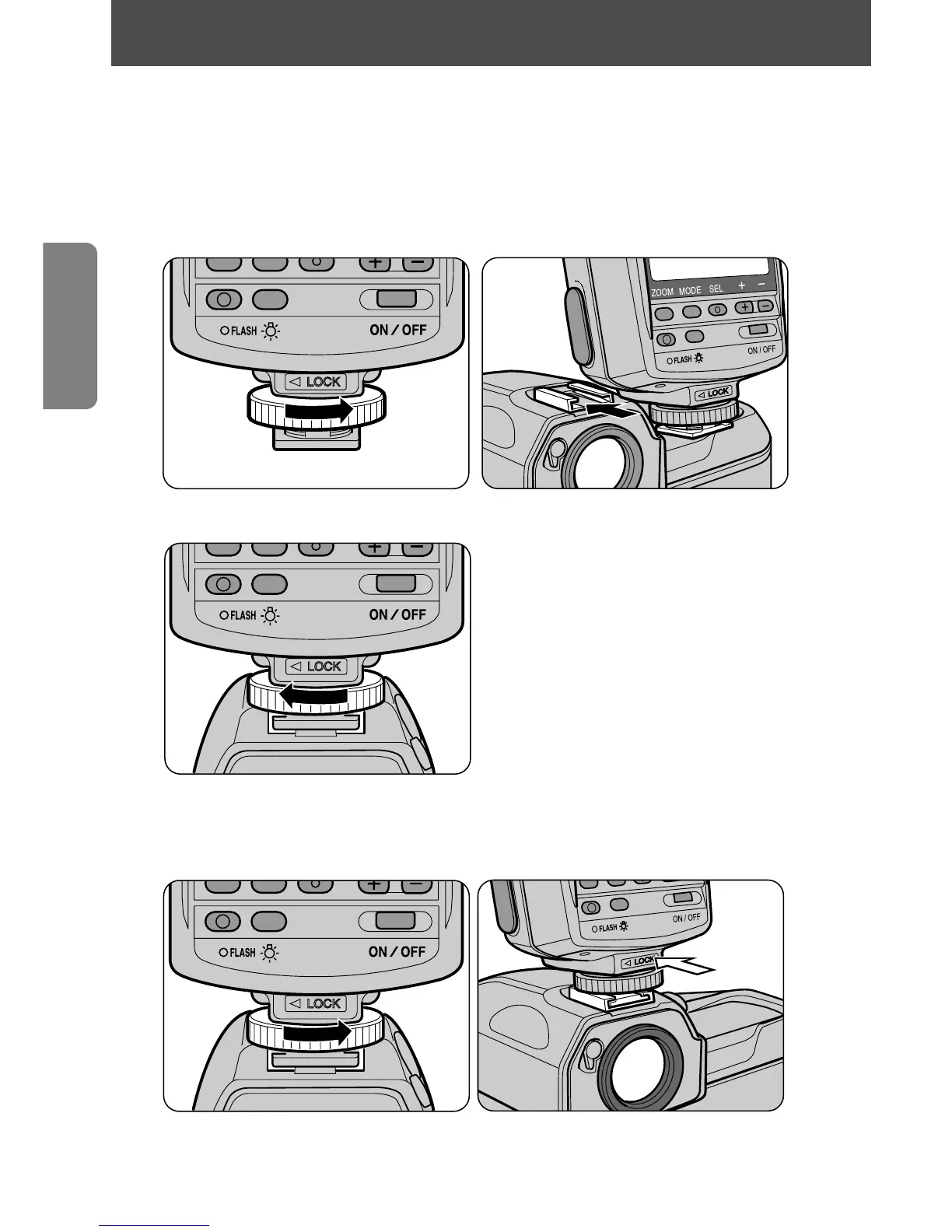
When attaching the SB-28 to your camera, make sure both units are
turned off to avoid accidentally firing the flash.
1
Loosen the SB-28's mounting foot locking wheel and slide the
SB-28 into the camera’s accessory shoe.
2
Tighten the locking wheel.
With cameras equipped with a safety lock system, the mount pin is automatically
inserted into the locking hole in the camera’s accessory shoe to secure the SB-28.
Detaching the SB-28
• To detach the SB-28, loosen the mounting foot locking wheel all the
way. If the wheel doesn’t loosen easily, push the foot forward gently
in the direction of the white arrow and try loosening the wheel again.
Attaching the SB-28 to the camera















 To Next Page