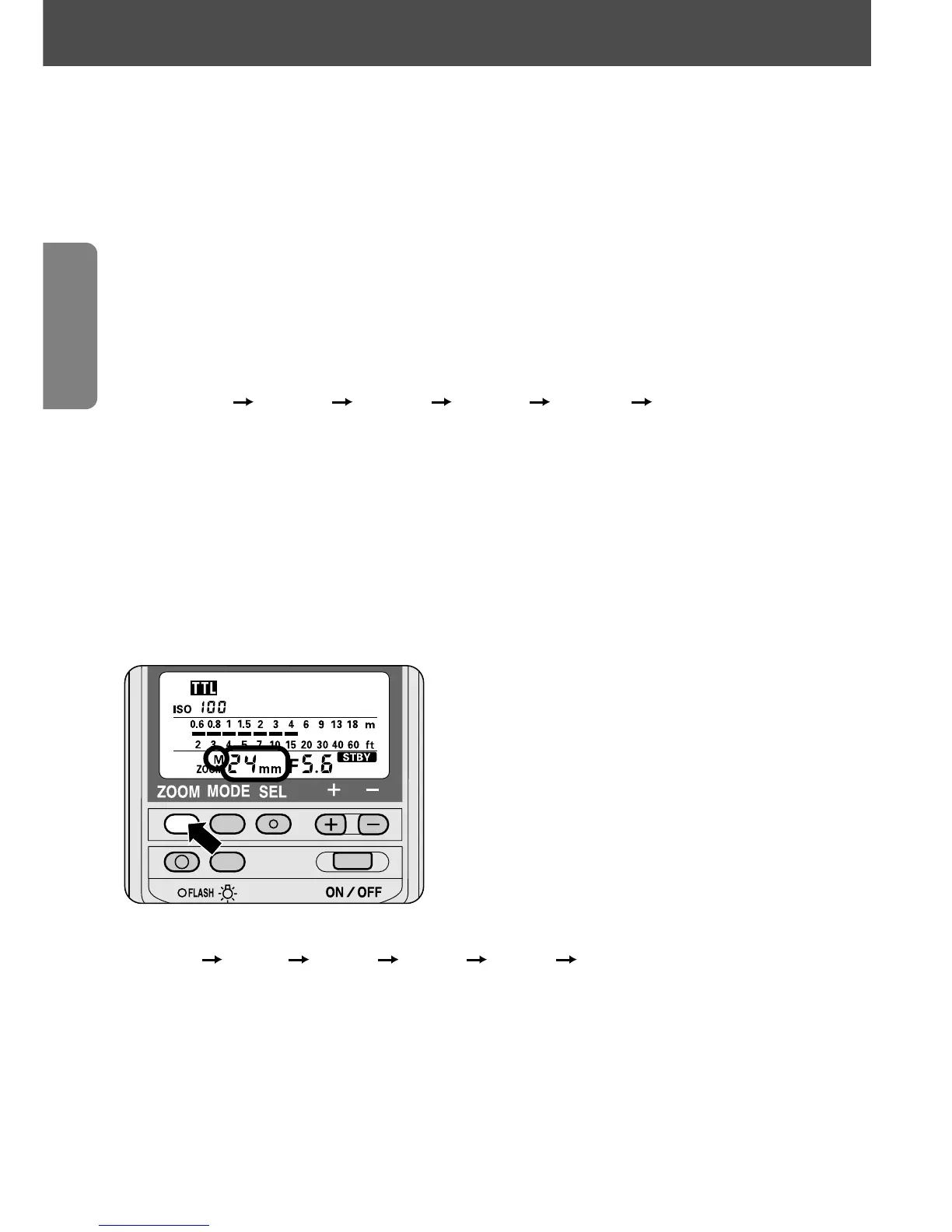
Adjusting the zoom-head position
20
NOTE
To cancel automatic zoom-head positioning and set the position
manually:
1
Press the ' and { buttons simultaneously for approx. 2 sec.
until the small M above ZOOM starts blinking.
Then press the ' button and set the desired zoom-head
position manually.
2
The zoom-head position indicator changes every time you press the
' button:
24mm 28mm 35mm 50mm 70mm 85mm
Once set manually, the zoom-head position is locked and does not
change even when the power is turned off and on again or the lens
is changed.
—To resume automatic zoom-head position adjustment, press the '
and { buttons simultaneously for approx. 2 sec. until the small M above
ZOOM disappears.
Other camera/lens combinations
Press the ' button and adjust the zoom-head position manually to
match the focal length of the lens in use.
• The indicator changes each time you press the ' button:
24mm 28mm 35mm 50mm 70mm 85mm
When set manually, a small M appears above the ZOOM on the LCD panel.
—When using a Zoom-Nikkor lens, set the zoom-head position on the SB-28 to
correspond to the shortest focal length of the lens (for example, select the 28mm
setting when using a Zoom-Nikkor 28-85mm lens). Then, the flash will cover all the
focal lengths.















 To Next Page