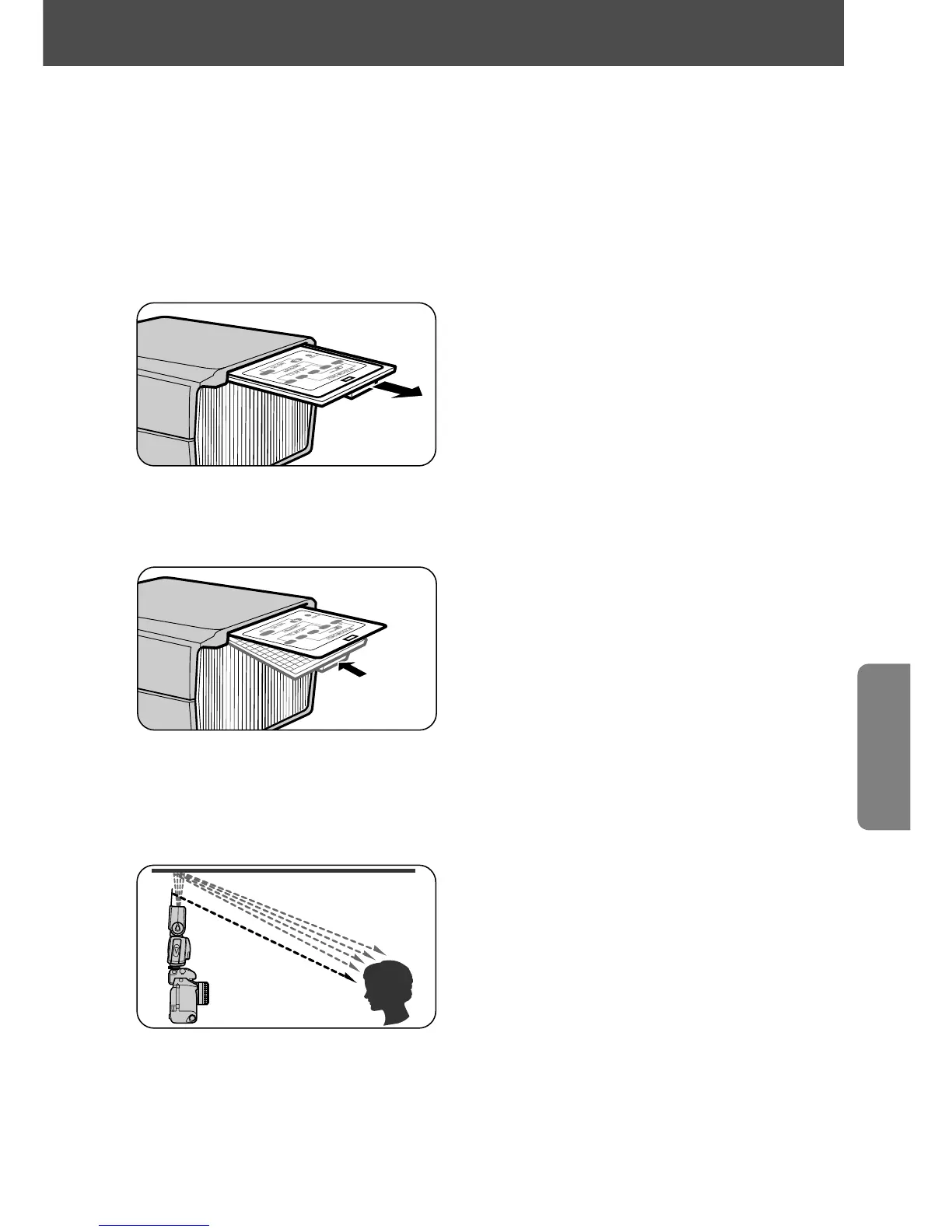
Using the built-in bounce card
In bounce flash photography, you can create a highlight in the subject’s
eyes by using the SB-28's built-in bounce card. This white card reflects a
small amount of light directly back to the subject, opening up the shadows
and making the eyes look more vibrant.
1
Pull out the wide flash adapter.
2
While holding the bounce card, slide the wide flash adapter back
into place inside the flash head.
• After sliding the wide flash adapter back into place, pull out the bounce card
gently as far as it goes. Be careful not to force the bounce card.
3
Set the flash head as shown and take pictures.
• After use, don’t forget to slide the bounce card back into its original position
inside the flash head.
61















 To Next Page