Multiple flash operation in
t
and
ƒ
flash modes
66
TTL multiple flash operation
Cameras in Groups I through VI and F3-Series
1
Attach the main flash unit to the camera’s accessory shoe.
• To use the SB-28 off-camera, refer to pages 68-69, System chart for TTL
multiple flash, for the correct type of optional TTL Remote Cord to use.
2
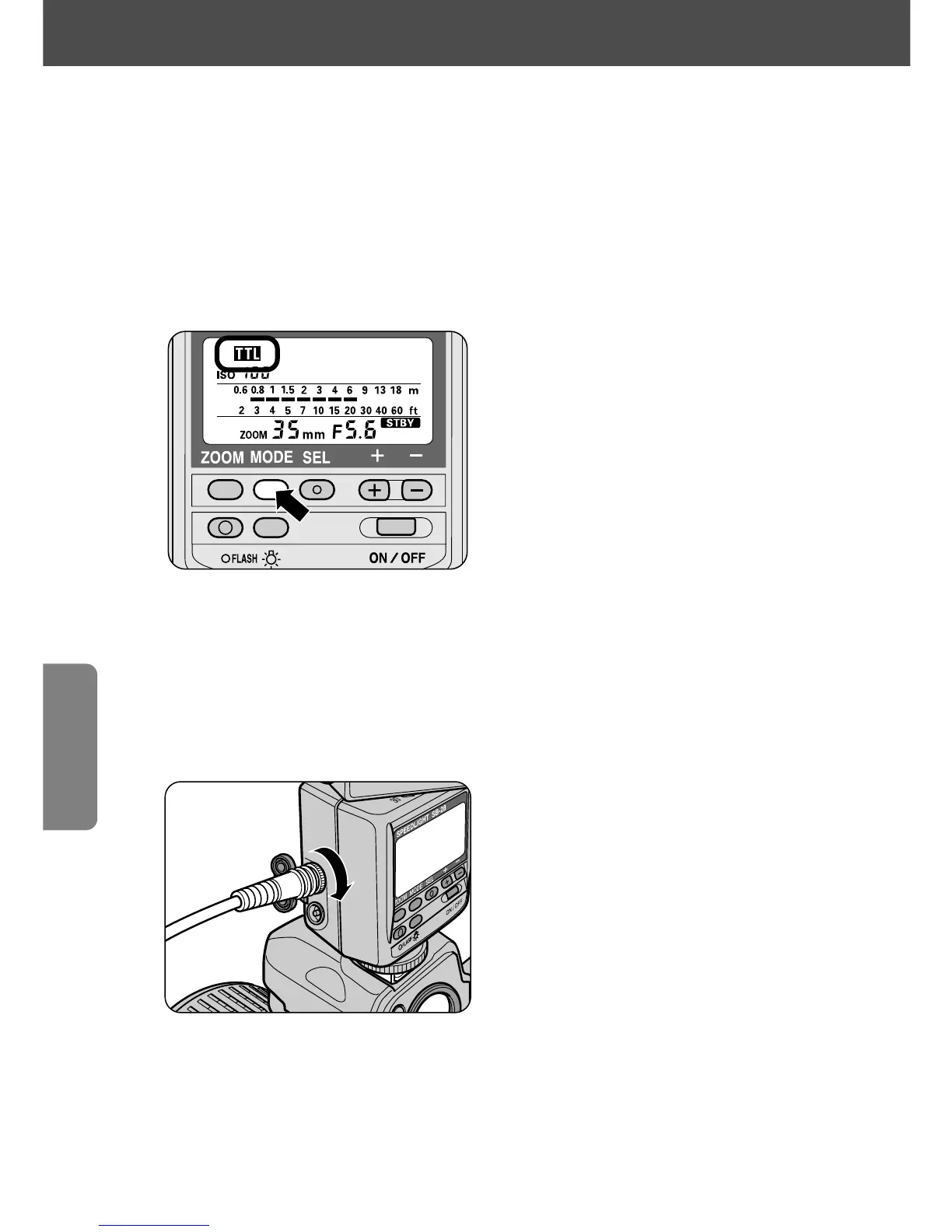
Set the flash mode of the master flash unit to t mode.
• To obtain the correct exposure with the SB-28 when used as the main flash
and set to 3D Multi-Sensor Balanced Fill-Flash, cancel Monitor Preflash on
the main flash unit by pressing the µ button until t appears on the
LCD panel.
3
Connect the main flash unit to the secondary flash unit(s).
—Use one or more TTL Remote Cords SC-18 or SC-19 to connect the SB-28 to
the secondary flash unit(s) in series.
• Turn off all flash units before connecting.
• Use Multi-Flash Adapter AS-10 when using more than three flash units for TTL
multiple flash operation, or if the secondary flash units are not equipped with
multiple flash terminals.
• Use Tripod Adapter AS-11 to attach the SB-16A or SB-17 to a tripod.















 To Next Page