95The i Button
❚❚ Modifying Picture Controls
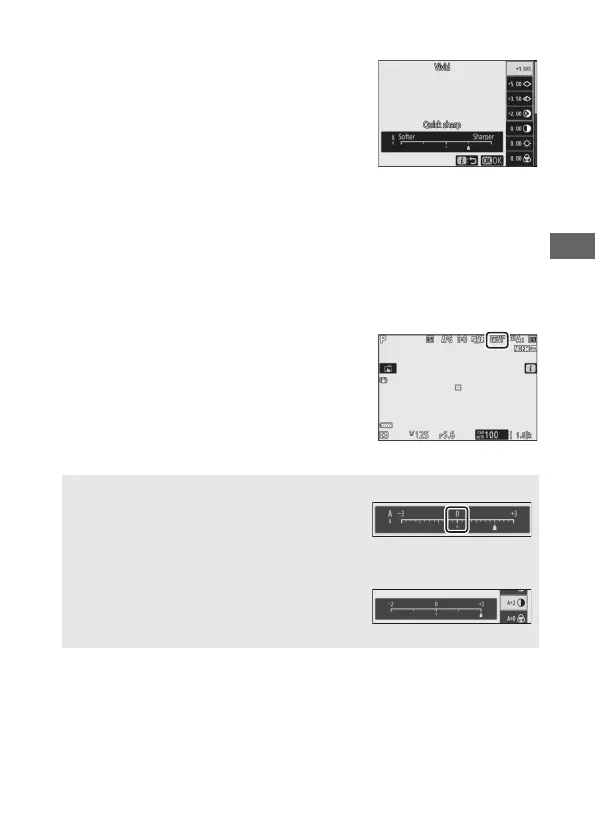
Picture Controls can be modified to suit
the scene or the photographer’s creative
intent. Highlight Set Picture Control in
the i menu and press J to display the
Picture Control list, then highlight a
Picture Control and press 3 to display
Picture Control settings. Press 1 or 3 to highlight the desired
setting and press 4 or 2 to choose a value in increments of 1, or
rotate the sub-command dial to choose a value in increments of
0.25 (the options available vary with the Picture Control
selected). Default settings can be restored by pressing the O
button.
After adjusting settings to your
satisfaction, press J to put the changes
into effect and return to the i menu.
Picture Controls that have been
modified from default settings are
indicated by an asterisk (“U”).
D Previous Settings
The j indicator under the value display in
the Picture Control setting menu indicates
the previous value for the setting.
A The “n Auto“ Picture Control
If n Auto is selected for Set Picture
Control, settings can be adjusted in the
range A−2 to A+2.



 To Next Page