119The i Button
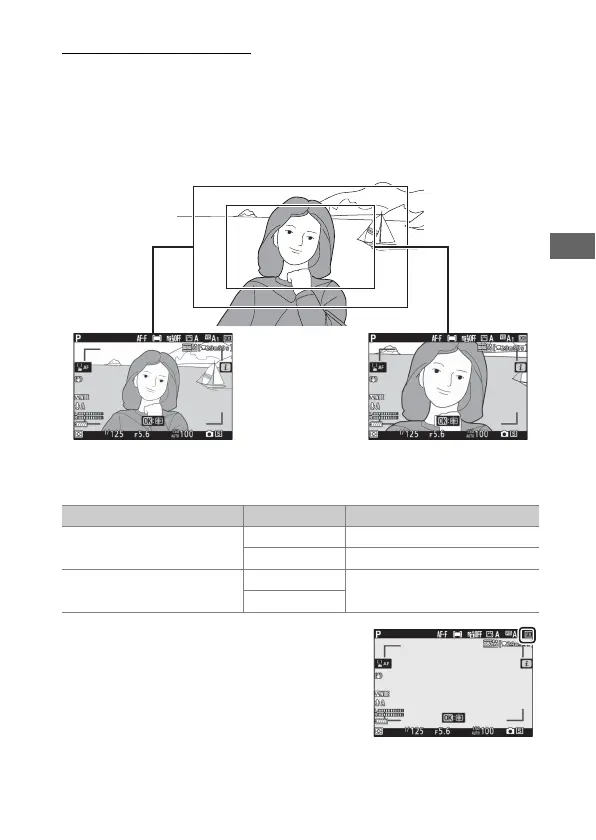
Choose Image Area
Choose the size of the area on the image sensor used to record
movies. Select FX to shoot movies in what is referred to as “FX-
based movie format”, DX to shoot in “DX-based movie format”.
The differences between the two formats are shown in the
illustration.
The dimensions of the area recorded vary with the frame size:
The option currently selected is shown
by an icon in the display.
FX DX
Format Frame size Area recorded (approximate)
FX-based movie format
3840× 2160 35.9× 20.2mm
1920× 1080 35.8× 20.1mm
DX-based movie format
3840× 2160
23.5× 13.2mm
1920× 1080



 To Next Page