18 Getting to Know the Camera
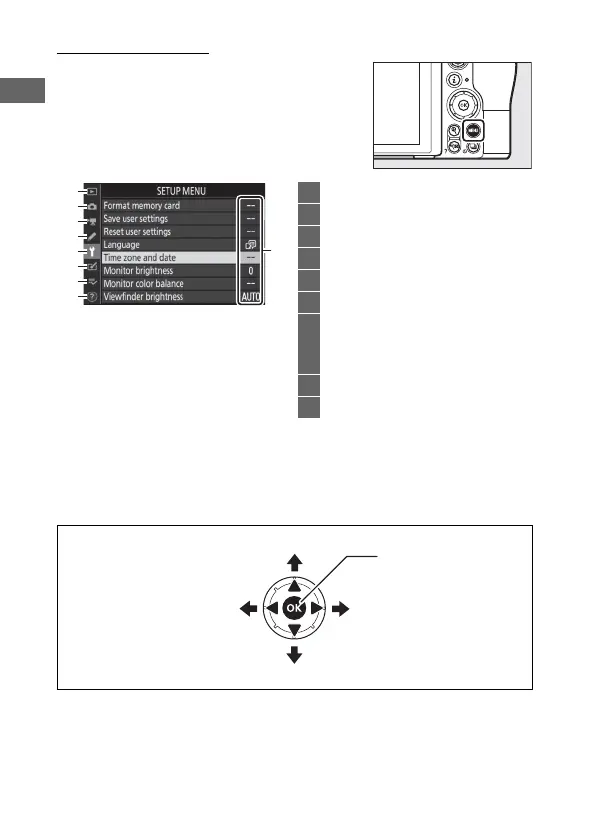
The G Button
Press the G button to view the menus.
❚❚ Using the Menus
You can navigate the menus using the multi selector and J
button.
9
1
2
3
4
5
6
7
8
1 D: Playback menu .................... 123
2 C: Photo shooting menu........ 125
3 1: Movie shooting menu ........ 133
4 A: Custom Settings menu....... 139
5 B: Setup menu ............................ 149
6 N: Retouch menu...................... 154
7 O/m: My Menu or
recent settings (defaults to
My Menu) ................................... 156
8 d: Help icon ...................................20
9 Menu options.............................. 123
1: Move cursor up
3: Move cursor down
2: Select highlighted item
or display sub-menu
4: Cancel and return to
previous menu
J: Select highlighted
item



 To Next Page