38 First Steps
The language option in the setup menu is automatically
highlighted the first time menus are displayed. Choose a
language and set the camera clock.
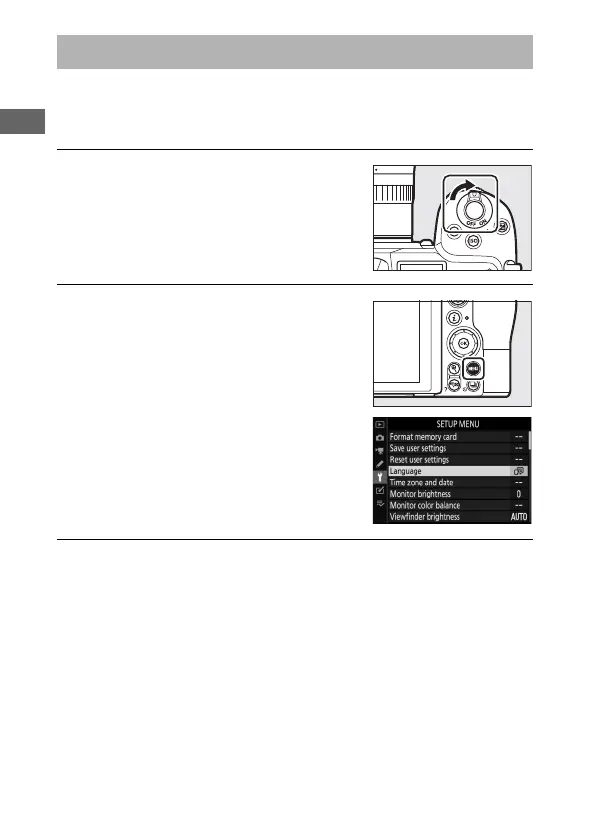
1 Turn the camera on.
Rotate the power switch to ON.
2 Select Language in the setup menu.
Press the G button to display the
camera menus, then highlight
Language in the setup menu and
press 2 (for information on using
menus, see “The G Button”, 0 18).
3 Select a language.
Press 1 or 3 to highlight the desired language and press J
(the languages available vary with the country or region in
which the camera was originally purchased).
Choose a Language and Set the Clock



 To Next Page