80 Shooting Controls
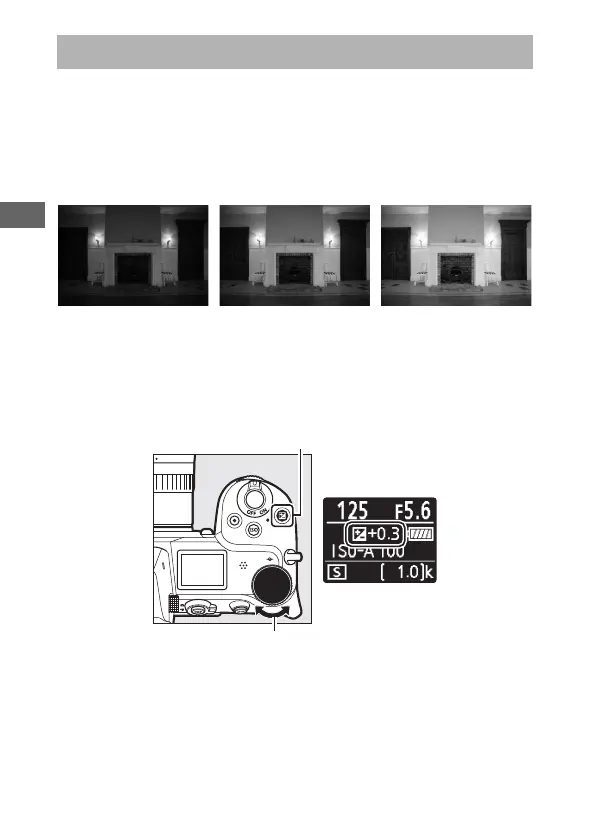
In modes other than b, exposure compensation can be used to
alter exposure from the value suggested by the camera, making
pictures brighter or darker. Choose from values between –5 EV
(underexposure) and +5 EV (overexposure) in increments of
1
/
3 EV. In general, positive values make the subject brighter while
negative values make it darker.
To choose a value for exposure compensation, press the E
button and rotate the main command dial until the desired
value is displayed.
The E (Exposure Compensation) Button
−1EV No exposure
compensation
+1EV
E button
Control panel
Main command dial



 To Next Page