99The i Button
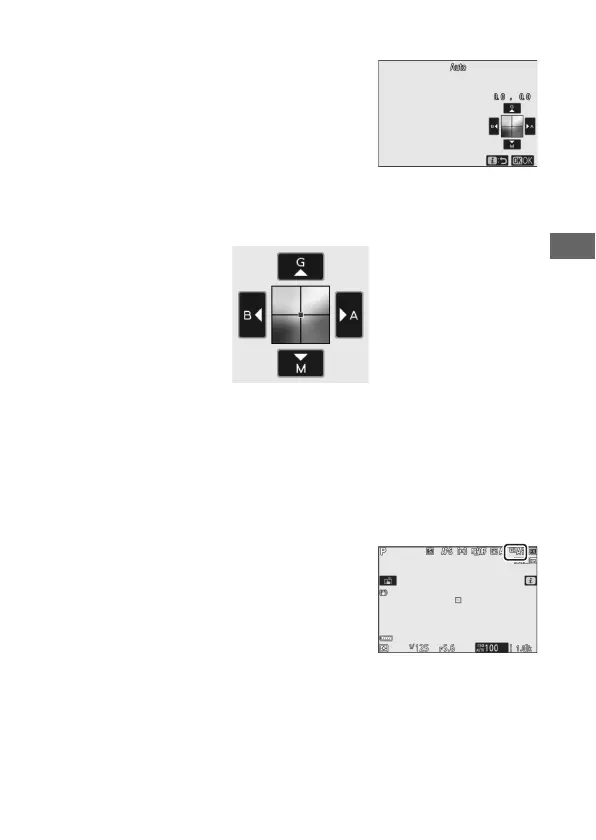
❚❚ Fine-Tuning White Balance
Selecting White balance in the i menu
displays a list of white balance options. If
an option other than Choose color
temperature is highlighted, fine-tuning
options can be displayed by pressing 3.
Any changes to fine-tuning options can
be previewed in the display.
Tap the arrows in the display or use the multi selector to fine-
tune white balance, or rotate the main or sub-command dial to
fine-tune white balance respectively on the Amber–Blue or
Green–Magenta axis. Press J to save settings and return to the
i menu.
An asterisk (“U”) next to the white
balance icon in the shooting display
indicates that fine-tuning is in effect.
Increase green
Increase blue Increase amber
Increase magenta



 To Next Page