4 Getting to Know the Camera
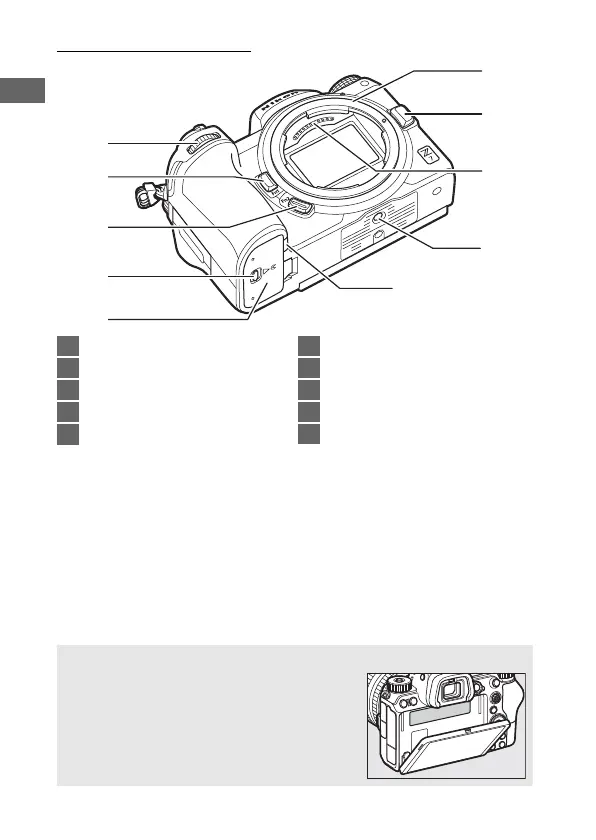
The Camera Body (Continued)
5
4
2
3
8
10
9
1
6
7
1 Sub-command dial .......................17
2 Fn1 button ................................24, 62
3 Fn2 button ................................24, 53
4 Battery-chamber cover latch......32
5 Battery-chamber cover ................32
6 Lens mount.....................................36
7 Lens release button ......................37
8 CPU contacts
9 Tripod socket..................................76
10 Power connector cover............. 189
D Product Serial Number
The serial number for this product can be
found by opening the monitor.



 To Next Page