194 Technical Notes
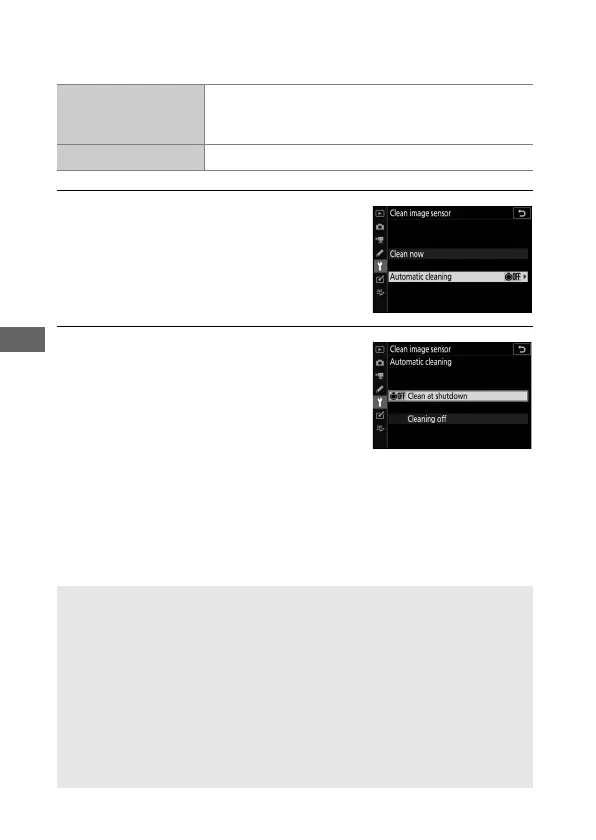
❚❚ “Automatic Cleaning”
Choose from the following options:
1 Select Automatic Cleaning.
Display the Clean image sensor
menu as described in ‘“Clean Now”’
(0 192). Highlight Automatic
Cleaning and press 2.
2 Select an option.
Highlight an option and press J.
6
Clean at
shutdown
The image sensor is automatically cleaned
during shutdown each time the camera is turned
off.
Cleaning off Automatic image sensor cleaning off.
D Servicing the Camera and Accessories
The camera is a precision device and requires regular servicing. Nikon
recommends that the camera be inspected by the original retailer or a
Nikon-authorized service representative once every one to two years,
and that it be serviced once every three to five years (note that fees
apply to these services). Frequent inspection and servicing are
particularly recommended if the camera is used professionally. Any
accessories regularly used with the camera, such as lenses or optional
flash units, should be included when the camera is inspected or
serviced.



 To Next Page