217Technical Notes
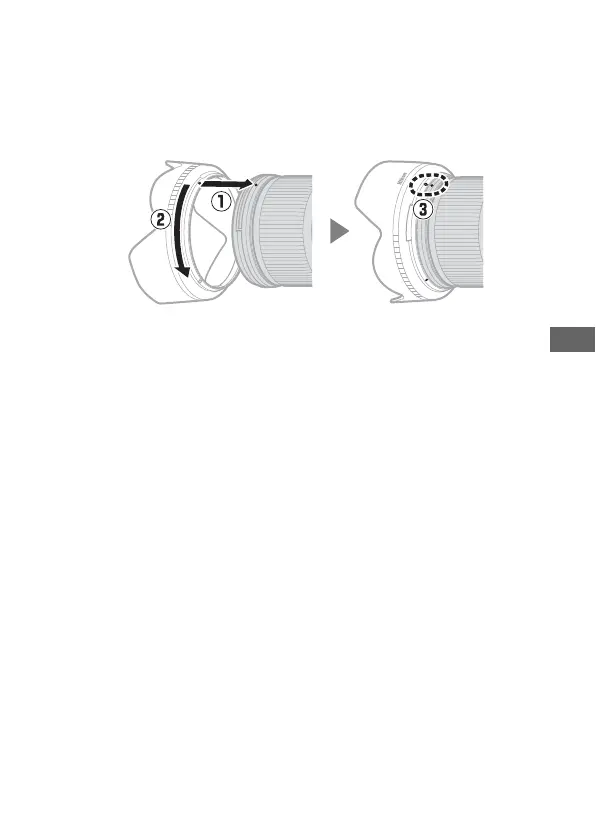
❚❚ Attaching and Removing the Lens Hood
Align the lens hood mounting mark (I) with the lens hood
alignment mark (I) and then rotate the hood (w) until the I
mark is aligned with the lens hood lock mark (K).
To remove the hood, reverse the above steps.
When attaching or removing the hood, hold it near the I
symbol on its base and avoid gripping it too tightly. The hood
can be reversed and mounted on the lens when not in use.
❚❚ When the Lens Is Attached
The focus position may change if you turn the camera off and
then on again after focusing. Refocus before shooting. If you
have focused on a pre-selected location while waiting for your
subject to appear, we recommend that you do not turn the
camera off until the picture is taken.



 To Next Page