14 Getting to Know the Camera
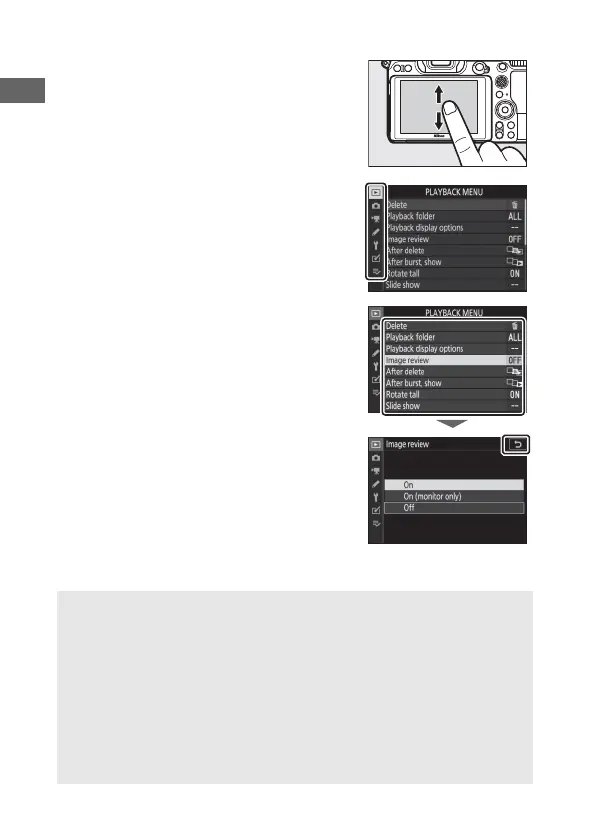
❚❚ Navigating the Menus
Slide up or down to scroll.
Tap a menu icon to choose a menu.
Tap menu items to display options and
tap icons or sliders to change.
To exit without changing settings, tap Z.
D The Touch Screen
The touch screen responds to static electricity and may not respond
when covered with third-party protective films, when touched with
fingernails or gloved hands, or when touched simultaneously in
multiple locations. Do not use excessive force or touch the screen with
sharp objects.
A Enabling or Disabling Touch Controls
Touch controls can be enabled or disabled using the Touch controls
option in the setup menu (0 151).



 To Next Page