22 Getting to Know the Camera
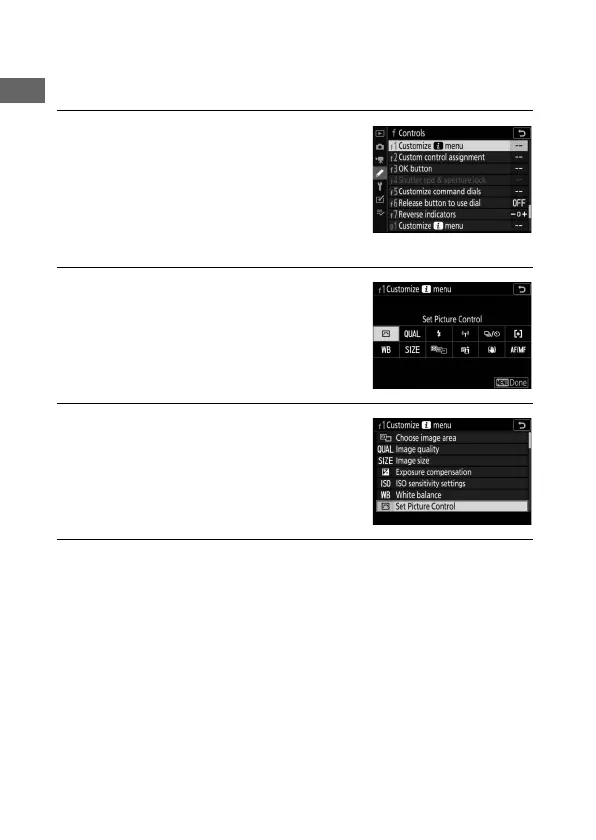
❚❚ Customizing the i Menu
The items displayed in the photo-mode i menu can be chosen
using Custom Setting f1 (Customize i menu).
1 Select Custom Setting f1.
In the Custom Settings menu,
highlight Custom Setting f1
(Customize i menu) and press J
(for information on using the menus,
see “The G Button”, 0 18).
2 Choose a position.
Highlight a position in the menu you
want to edit and press J.
3 Choose an option.
Highlight an option and press J to
assign it to the selected position and
return to the menu displayed in Step
2. Repeat Steps 2 and 3 as desired.
4 Exit.
Press the G button to save changes and exit.



 To Next Page