33First Steps
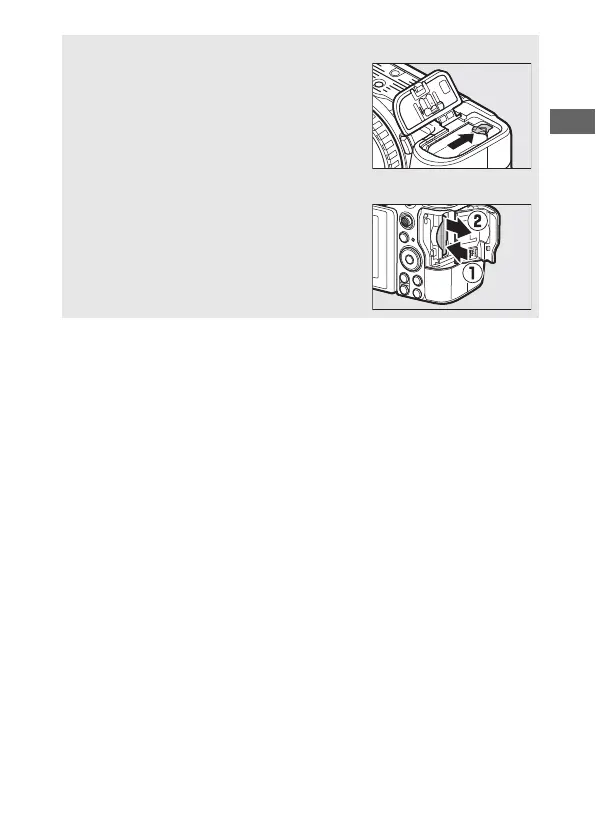
D Removing the Battery
To remove the battery, turn the camera off
and open the battery-chamber cover. Press
the battery latch in the direction shown by
the arrow to release the battery and then
remove the battery by hand.
D Removing Memory Cards
After confirming that the memory card
access lamp is off, turn the camera off, open
the memory card slot cover, and press the
card in to eject it (q). The card can then be
removed by hand (w).



 To Next Page