4-10
I4-1
OPERATOR’S MANUAL FOR INFANT INCUBATOR EDITION/REVISION B/1
Pressing Air Mode key while put the power of the controller on for more than 3 seconds
until the set interface appears. At that time, the Set Temperature indicator displays the set code
and Air Temperature indicator displays the corresponding value of each set item (the set code,
set item and set range please refer to the following table), the Skin Temperature indicator
displays P002 (which means the system has entered into the time seting interface). The operator
could select the set items through pressing the Baby Mode key or the Air Mode key and set the
item value through pressing Up Key or Down Key. After seting one item, press Keypad Lock
key to save the seted value as well as press Silence/Reset key after seting all items for exit the
seting interface. If put off the power directly without pressing Keypad Lock key or Silence/Reset
key after seting, the time set will failure this time, system keeps the previous set value.
Table of time seting items
Set Code Indicating Items Set Range
001 two front numbers of year 19 ~20
002 two back numbers of year 00 ~99
003 month 01 ~12
004 day 01 ~31
005 week
01~07(01stand for sunday,deduced accordingly
006 hour 00~23 (for 24hours)
007 minute 00~59
008 second 00~59
4.4.3 MECHANICAL EXAMINATION
A. CHECK THE HOOD OPERATION
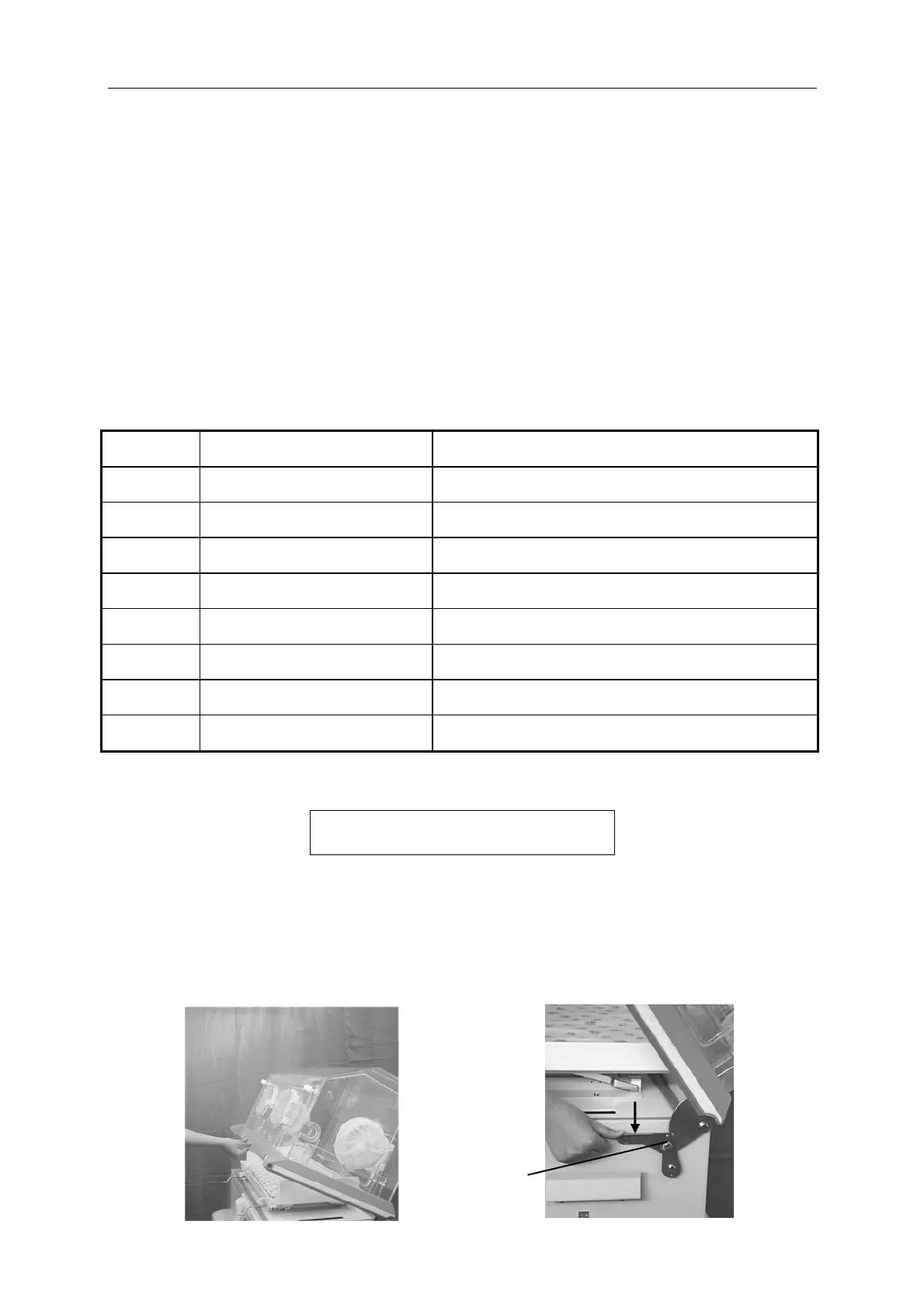
See the following figure, raise the hood until you hear the sound “kata”, and the hood is in the
lock state. Press the lock downward as the arrrow indicates so that the hood can return the
original position.
CAUTION: Before raise the hood, ensure all accessories are disconnected to avoid
interfere operating.
Oritention lock


 To Next Page