© 2005-2016 Nira Control AB 48
4.3.1 Keyboard Help
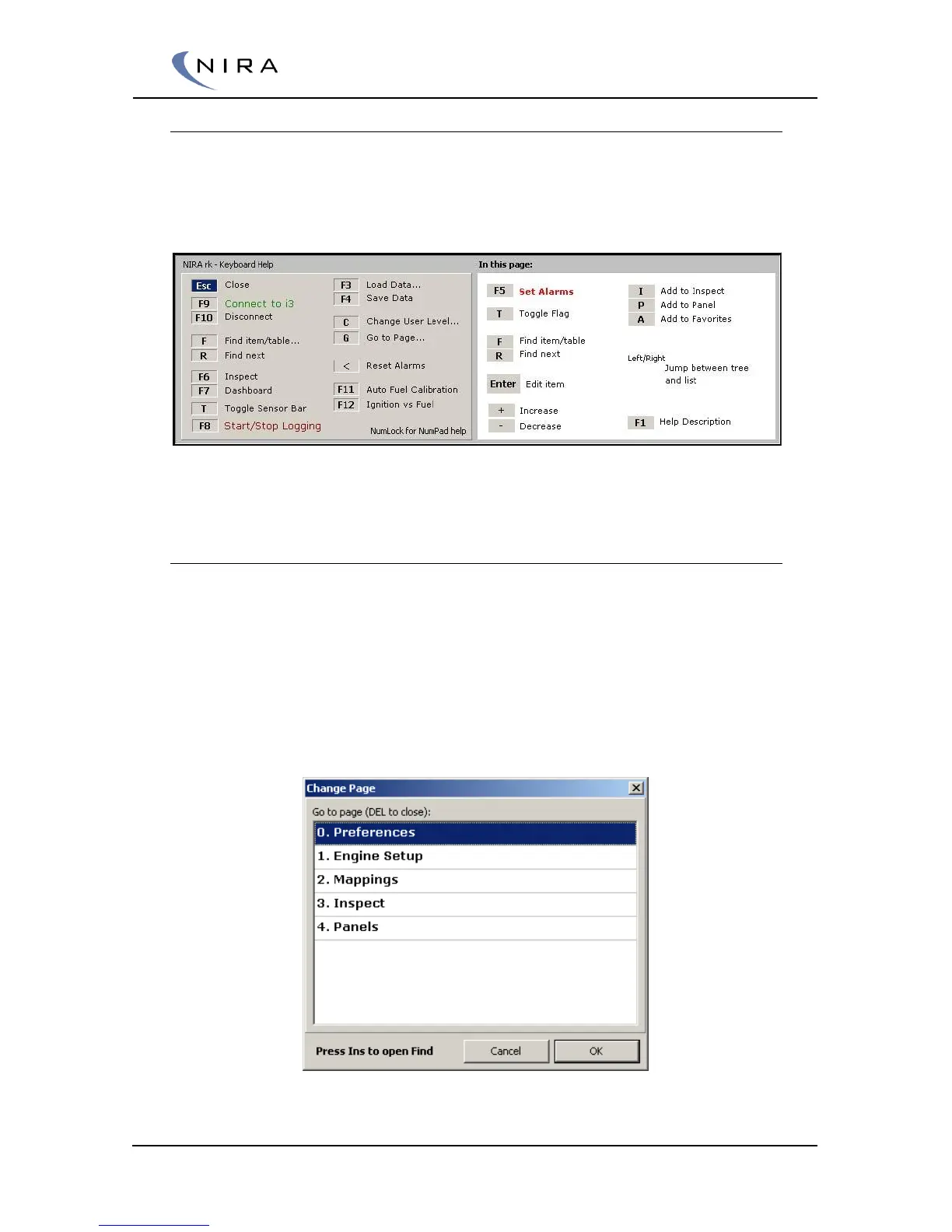
A useful shortcut key to remember is F2. Holding down F2 brings up the
Keyboard Help dialog box. The dialog box shows what can be done in the
current view (and thus, it changes depending on the view.)
Picture 4-6: Holding down the F2 key brings up a window showing all available commands in
the current view.
4.3.2 Tabs
NIRA rk uses tabs to organize different views of parameters, graphs, tables
etc. When a new window is opened a new tab is added. This allows for quick
switching between views. Each new tab gets a number in addition to a name.
You can switch tabs by clicking on the tab with the mouse or by hitting the G
key on the keyboard, which brings up the Change Page dialog box (see
below) and then selecting the desired tab using the up and down arrows on
the keyboard. Shift-G takes you directly to the next tab in order.
Picture 4-7: 'G' (or '5' on the numeric keypad with NumLock off) brings up the "Change
Page" dialog box.


 To Next Page