© 2005-2016 Nira Control AB 70
4.10 Auto Fuel Calibration
Auto Fuel Calibration is a very useful tool when setting up the Volumetric
Efficiency Table. See section 6.3.3 for more information about this table.
To activate Auto Fuel Calibration, hit F11 on the keyboard.
For a complete description of Auto Fuel Calibration, see section 6.3.5.
4.11 Ignition/Fuel Mapping
There’s a special split-view window for the VE and Ignition tables. Hit F12 on
the keyboard to bring up this view. Hit F12 repeatedly to cycle through the
individual tables and back to split view. Hit N to jump between tables in the
split view.
As always, F2 gives you a list of all possible keyboard shortcuts.
5
Starting the Engine
If you’ve read the previous chapters and followed the installation instructions,
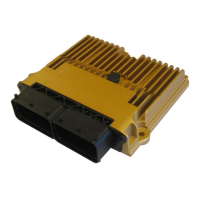
NIRA i7x should be installed in your vehicle and you have an understanding
of how NIRA rk is used. This chapter describes how to start the engine in a
safe manner.
Warning! It is absolutely essential that you set up all parameters correctly
under the Engine Setup tab. Failure to do so can easily cause permanent
damage to your engine, and also cause risks of personal injury.
5.1 Setting Up Parameters Offline
Before you turn on the ignition in the car you must set up all parameters
under the Engine Setup tab using the NIRA i7x Engine Setup Wizard. Once
you’ve completed all steps in the wizard you can edit individual parameter


 To Next Page