© 2005-2016 Nira Control AB 50
window. This setting exposes more calibration variables. It’s recommended
that you leave the mode setting as Standard.
4.4.1 Sorting and Parameter Descriptions
Parameters can be sorted alphabetically, numerically or according to unit by
selecting Item Name, Value or Unit respectively at the top of the parameter
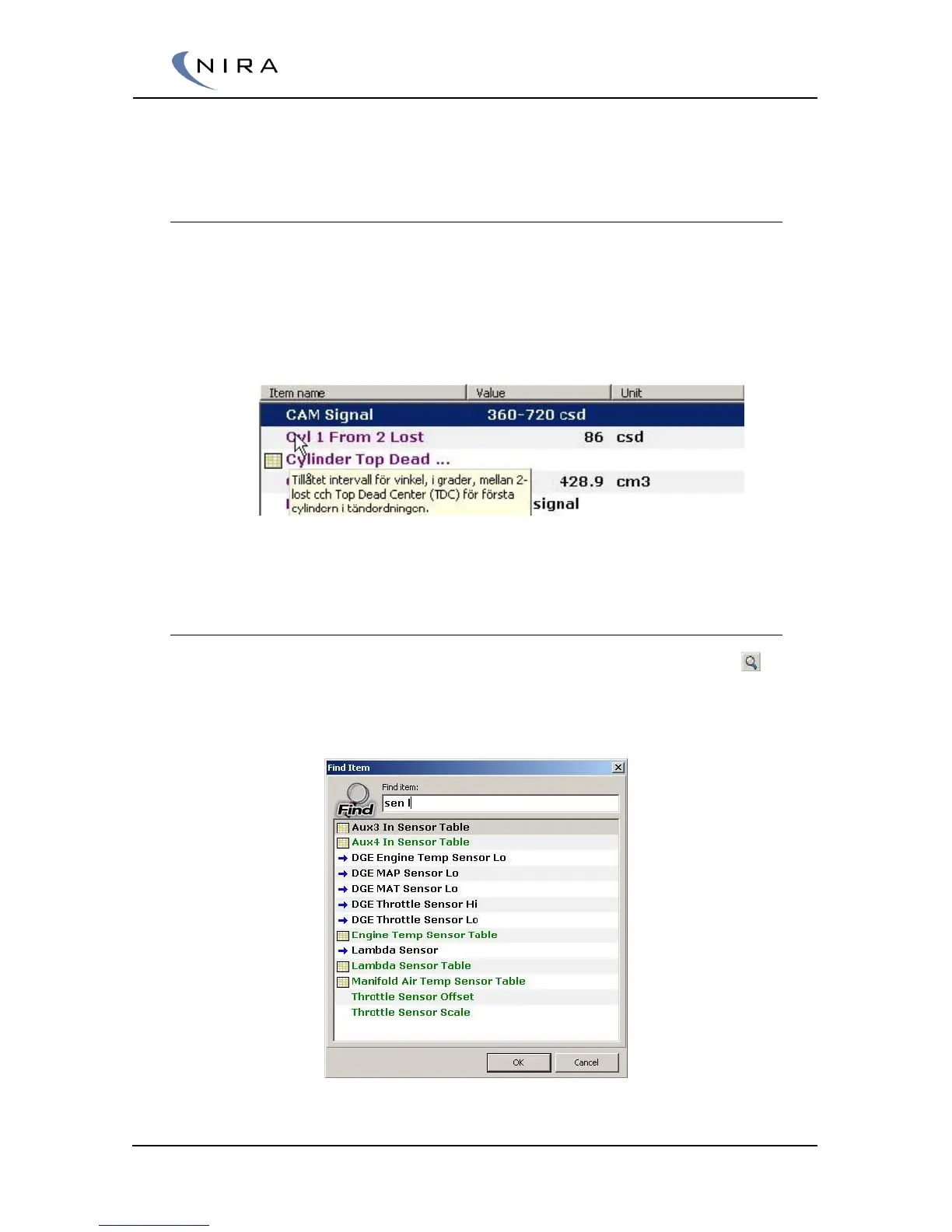
list. When you move the mouse cursor over a parameter a small help bubble
will appear with information about the parameter. You can also press F1 to
get the same information for any highlighted parameter.
Picture 4-8: A small help bubble appears when the mouse cursor is placed over a
parameter name.
4.4.2 Searching
You can search for a parameter by clicking on the magnifying glass icon ( )
or by hitting F on the keyboard. To go to the next parameter matching your
search criterion, hit R.
Picture 4-9: Searching for a parameter.


 To Next Page