24
User Change
User IDs are unique and cannot be changed. However, group,
authority, fingerprint, and authentication methods can be changed in
the “change user” menu. Users can only be changed in stand-alone
mode. In network mode, the server management program must be
used to change users.
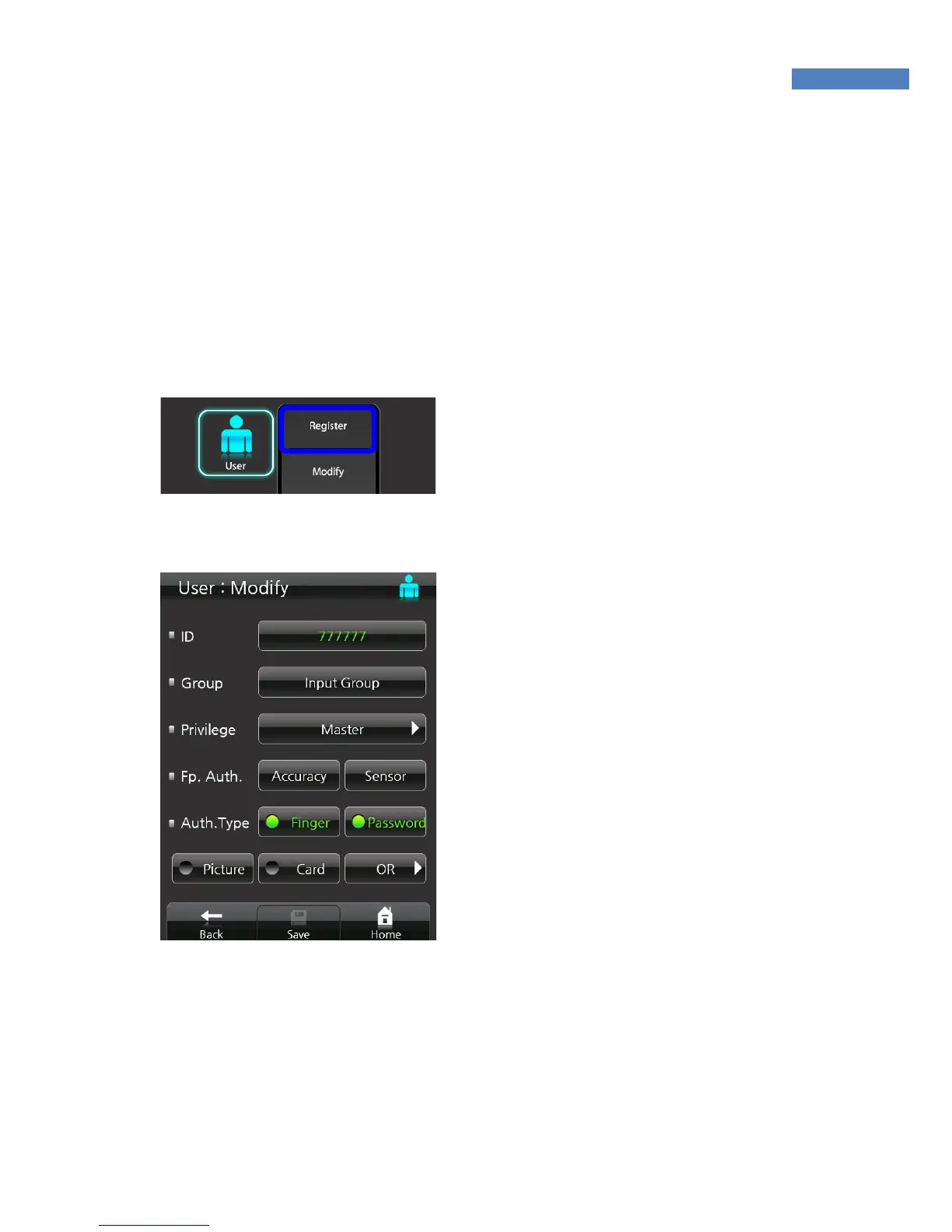
1. Select “User” -> “Change” and
enter the user ID. Press the
“Register” button. The newly
registered user data will be
displayed.
2. Select group, authority, fingerprint,
or authentication method, and enter
the new value. Press the “Save”
button to store the new value.
3. Fingerprint Authentication –
Change the “Security Level” when
the user’s fingerprint rejection rate
(FRR) or other users’ fingerprint
recognition error rate (FAR) is high.
In case a user’s fingerprint is
recognized as a different user’s, set
the security level 6 or higher.
If the user’s fingerprint is not recognized well, reduce the security
level 4 or lower.
If the user’s fingerprint is too dry, lower the sensor setting below



 To Next Page