35
What is DHCP (Dynamic Host Configuration Protocol)?
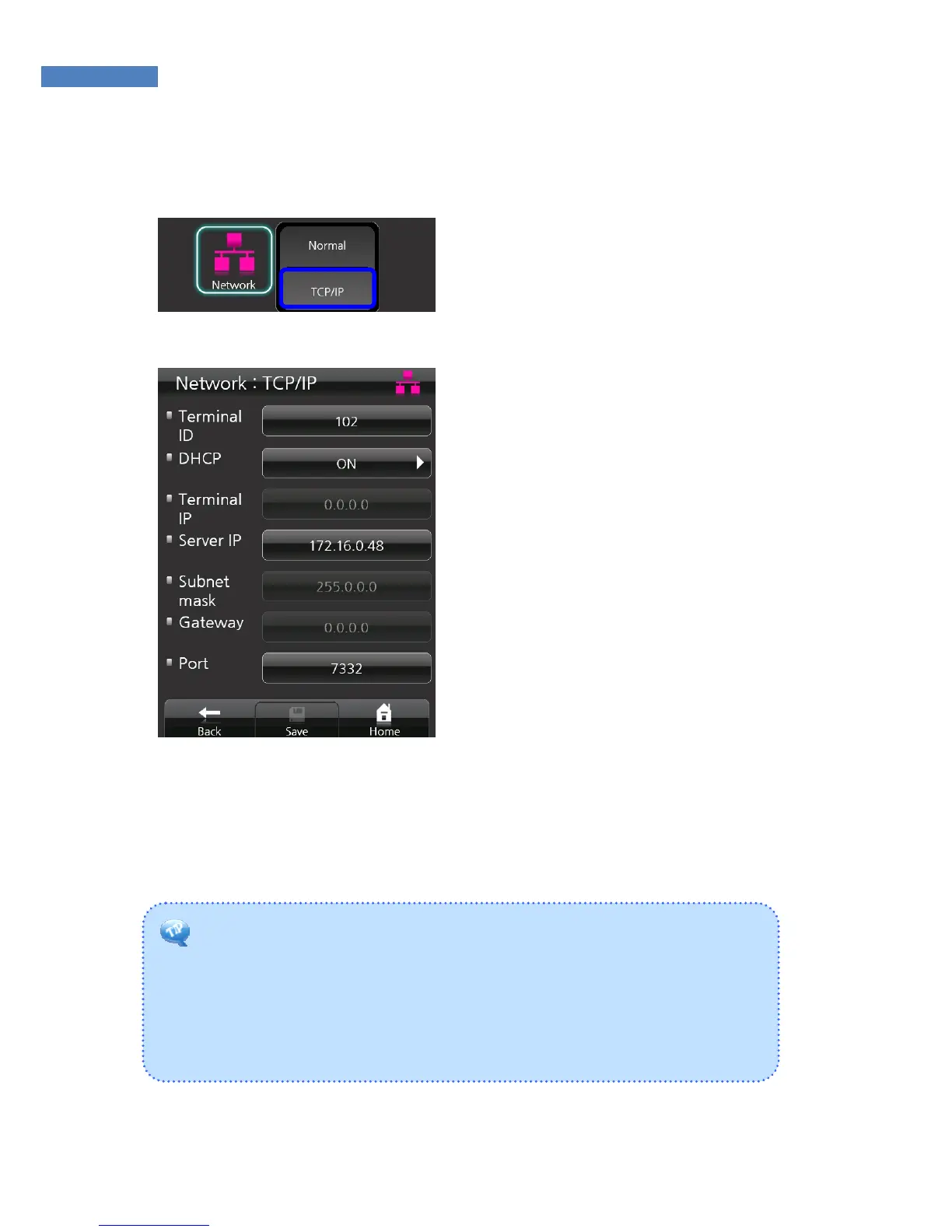
The DHCP server automatically allocates and manages settings for TCP/IP
communication. If DHCP is on, related information such as terminal IP,
subnet mask, and gateway are automatically allocated.
TCP/IP Setting
1. After selecting network mode,
TCP/IP must be configured to
connect to the server. Select
“Network” -> “TCP/IP”, and enter
the network information.
2. Enter a unique terminal ID
between 1 and 2000. The same
terminal ID cannot be used in the
same server.
3. Press “on” in the “DHCP” menu
to decide to use DHCP. When
using DHCP, enter into the
server IP and port information of
the server with AccessManager
Professional installed.



 To Next Page