43
Time and Attendance mode
Time and attendance mode, the user must press a function key and
perform the user authentication process when opening the door. The
entry logs will be sent with the function key data to the server
management program.
Depending on the function key, user attendance records can be
classified into “Coming to work”, “Leaving work”, “Going out”, and
“Returning” for efficient attendance management.
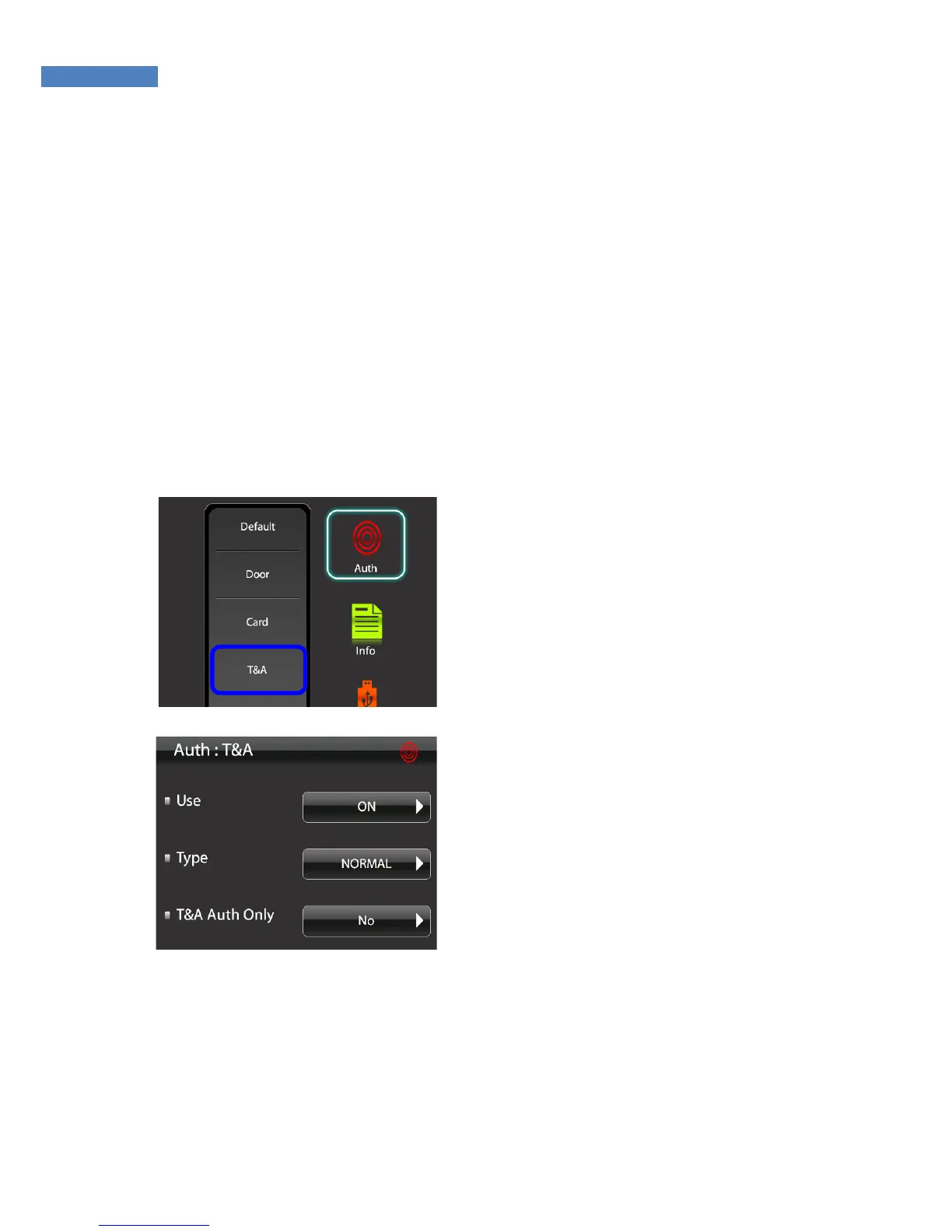
Time and Attendance Mode Setting
1. To use the attendance mode,
select “Authentication” -> “T&A
Mode”.
2. Press “Use” -> “Off” and change
it to “On”.
3. Select the type: Simple, Normal,
or Extended. “Simple” supports
two function keys, “Normal”
supports four, and “Extended”
supports 100. The default setting
for Simple and Normal are as
follows:
F1: Coming to work
F2: Leaving work
F3: Going out
F4: Returning
For the Extended type, function keys can be freely configured
depending on the S/W requirements.



 To Next Page