BKI16ATEX0018X ♦ htk4014a0600p_03 ♦ 33 / 76
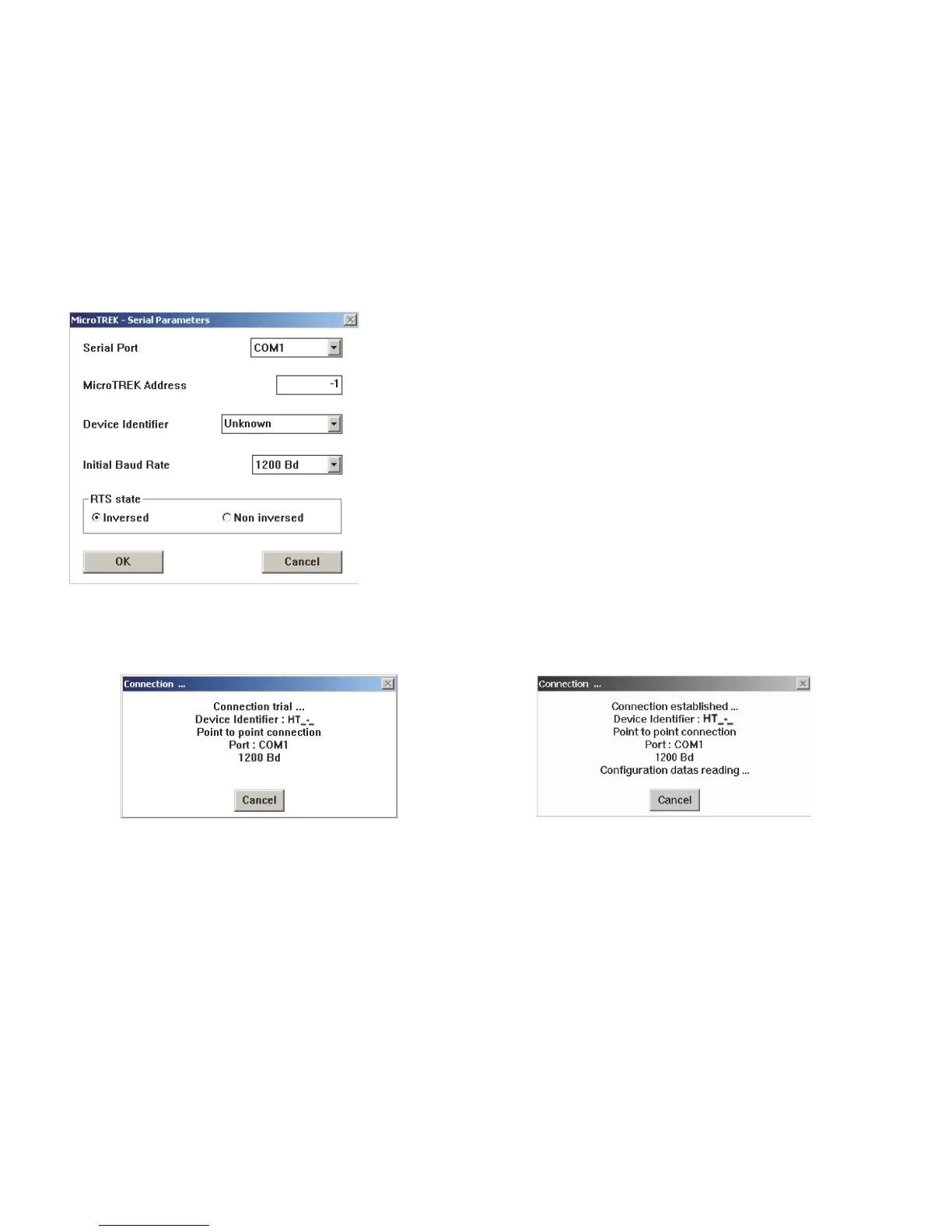
Serial port – The serial port allows the user to select a free serial port (COM 1 to 4) on the
computer.
MicroTREK Address – Type the “Address” that you have given a gauge (a value between 0
and 15) and press ENTER or OK.
This will select the required device. If you are in a point to point network leave the box at its
default value (-1).
Device identifier – Device Identifier refers to the “Device number” given in User Function No.
1.4.4.
Initial baud rate – Transmission rate of data. Has a default value of 1200 bd.
RTS state – The RTS state depends on the type of RS232 converter used.
For RS232<>HARTTM(i.e. VIATOR from MACTEK) use inversed RTS state.
On-line connection with the gauge: Press F2 or left-click on “F2-Connection” to set up the connection with the device – the configuration parameters are
automatically loaded into the computer.


 To Next Page