17
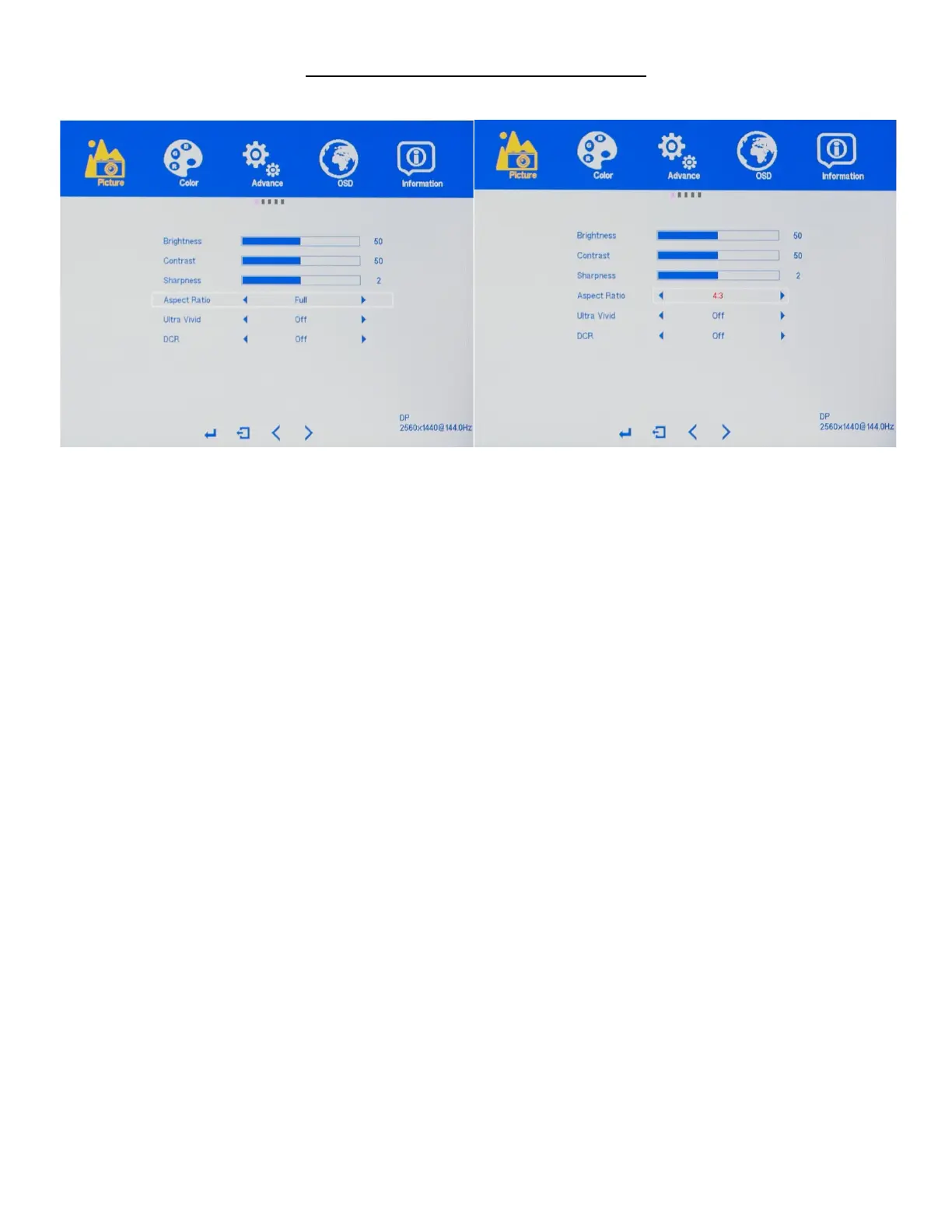
PICTURE (Sub-Menu) - ASPECT RATIO
The ASPECT RATIO feature allows you to set your preferred ASPECT RATIO for your monitor's video, and
picture content. Available ASPECT RATIO settings are FULL (16:9), 4:3, and 1:1
a) In the PICTURE sub-menu, use the arrow buttons "DOWN" or "UP" to highlight ASPECT RATIO and
press "MENU" to confirm selection.
b) Press "VOL -" to make the SHARPNESS lower or press "VOL+" to change the ASPECT RATIO.
Default ASPECT RATIO is at FULL and is the recommended setting.
c) Once you adjust the ASPECT RATIO settings to your desired level, press "MENU" once to confirm and
press "AUTO" exit to the PICTURE sub-menu.


 To Next Page