34
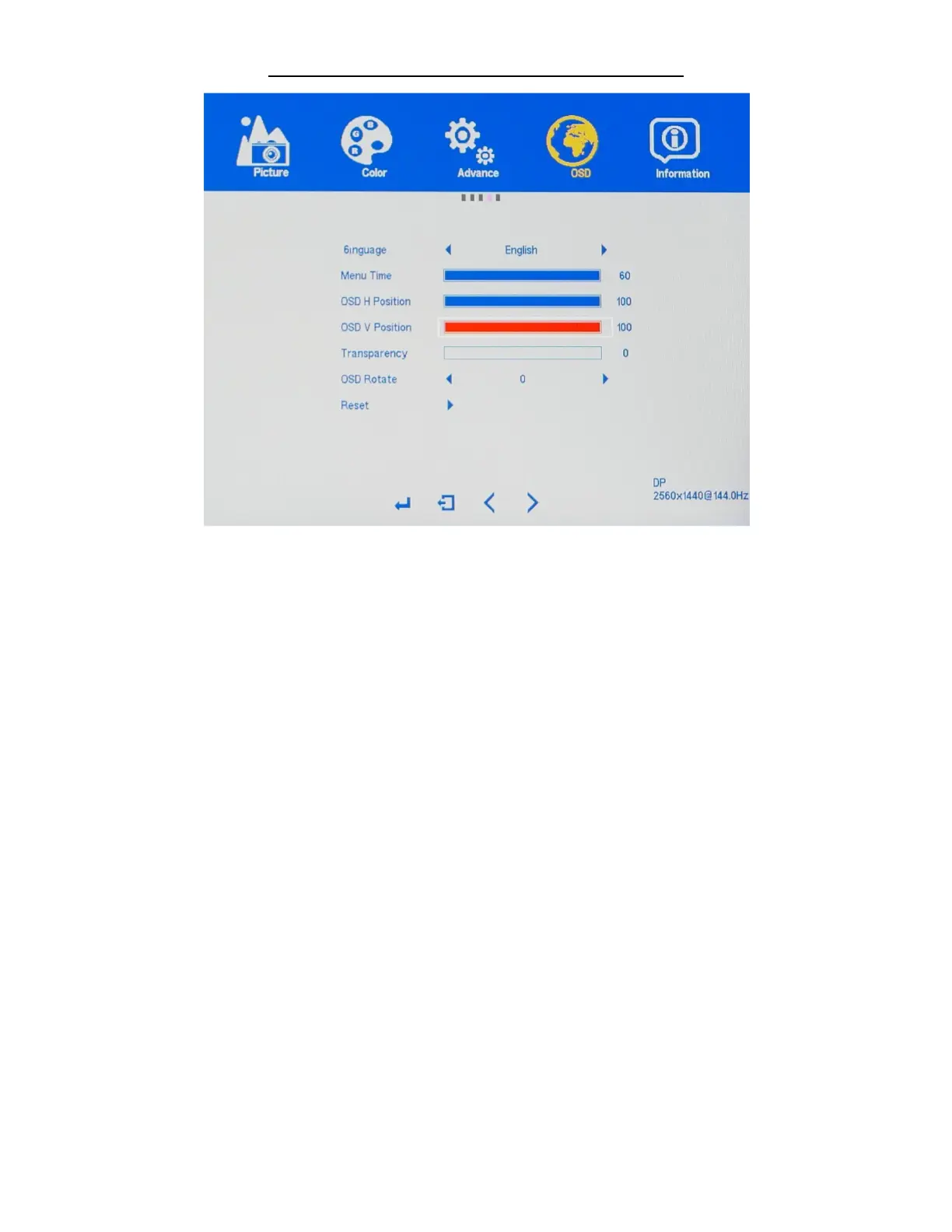
OSD SETTINGS (Sub-Menu) - OSD V POSITION
The OSD V POSITION and features allows you to set the OSD MENU (On Screen Display Menu) to either
towards the top or bottom of your monitor.
a) Make sure the VERTICAL selection is highlighted in red (see picture) and press "MENU" to confirm
selection.
b) Use the arrow buttons "VOL -" or press "VOL+" to adjust between 0 to 100 for the OSD V POSITION
placement of the OSD MENU towards the TOP or BOTTOM of the display.
c) Press "MENU" once to confirm selection and exit to the OSD SETTINGS sub-menu to begin the next
adjustment or to completely exit out of the On Screen Display press "AUTO" again.


 To Next Page