Setting up the FastMile 5G Gateway 2
18
User Guide
© 2022 Nokia. Nokia Confidential Information
Use subject to agreed restrictions on disclosure and use.
3TG-02464-AAAA-TCZZA-01
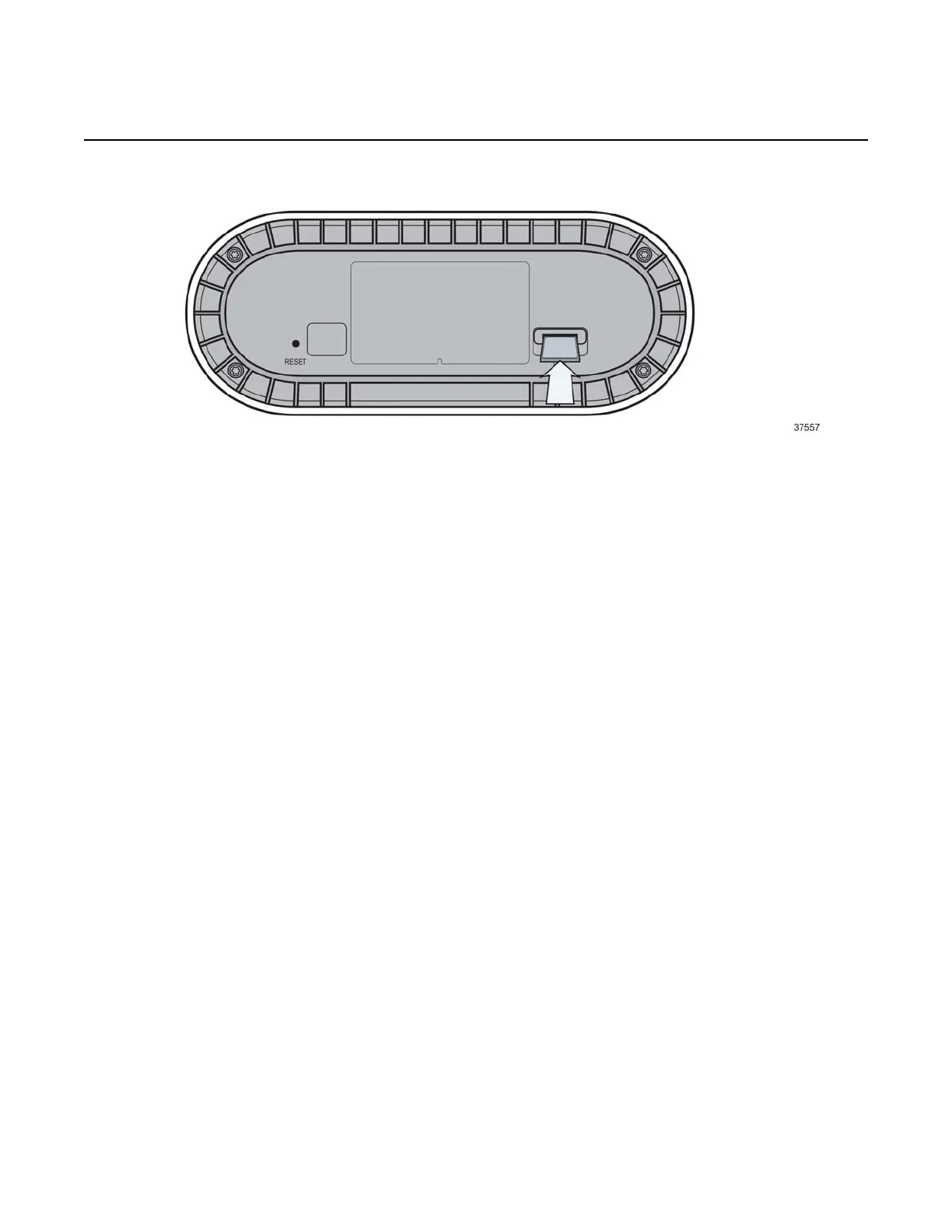
Figure 7 Inserting the SIM tray
Identifying the ideal location
The ideal location for your FastMile 5G Gateway 2 will meet the following criteria:
• near a window where the 5G signal is strongest
• in an open space away from:
- walls or obstructions
- heavy-duty appliances or electronics such as microwave ovens and baby
monitors
- metal fixtures, enclosures, cabinets, reinforced concrete, or pipes
• near a power outlet
• on an upper floor of the home or at least 1.8m (6 ft) off the ground floor
Connecting the FastMile 5G Gateway 2 to power
Place the FastMile 5G Gateway 2 on a flat surface, such as a tabletop or similar;
close to a window, and near an electrical outlet.


 To Next Page