NORAM 65ET GRADER
2-31
General Information
2
Electronic Display
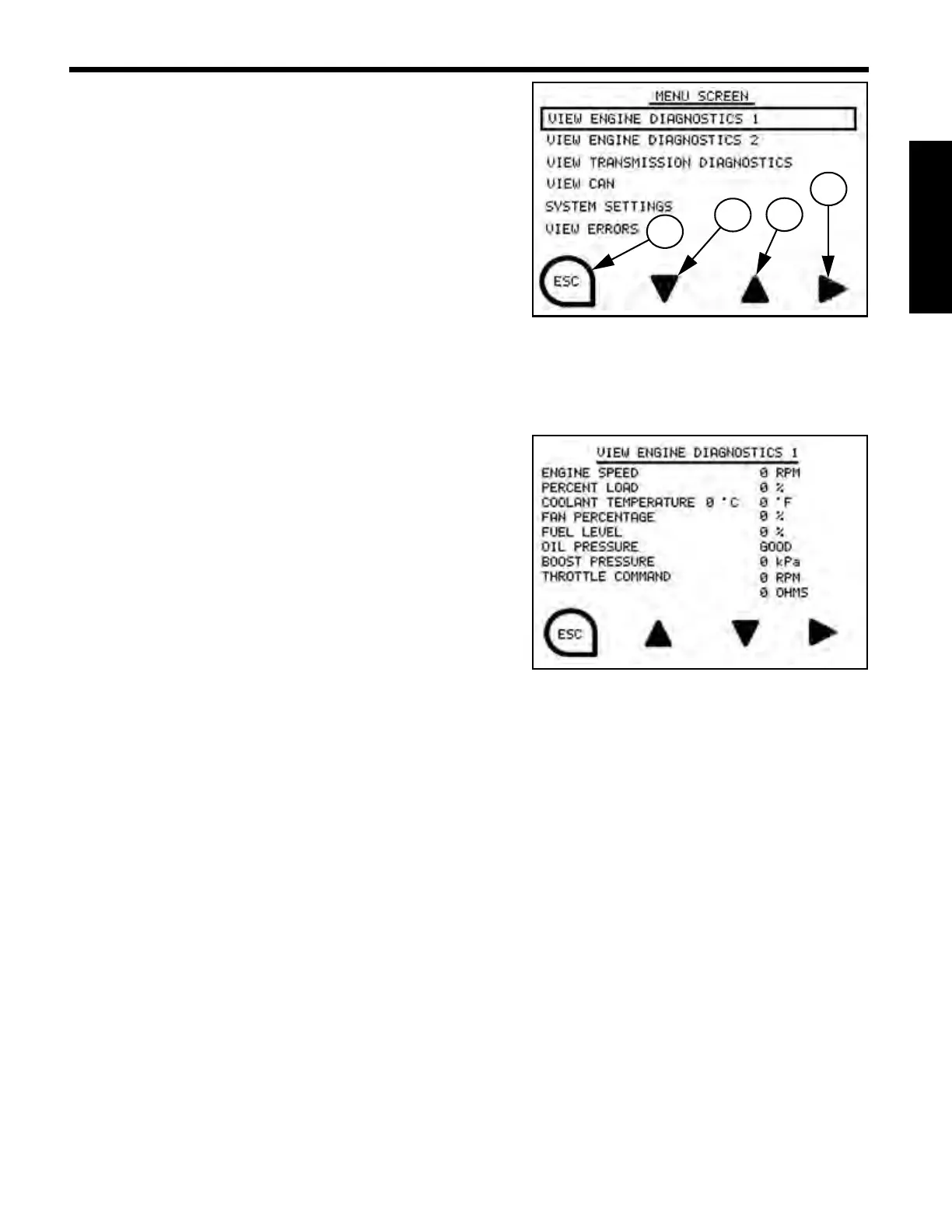
Menu Screen
Down arrow (1) moves selection box down.
Up arrow
(2) moves selection box up.
Right arrow
(3) enters selected screen.
ESC
(4) exits to previous screen.
Highlight screen name of choice and select by pressing
Control Key associated with the right arrow option.
View Engine Diagnostics 1 Screen
View Engine Diagnostics 1 Screen displays the following:
• Engine Speed
• Percent Load (Engine)
• Coolant Temperature
• Fan Percentage
•Fuel Level
• Oil Pressure
• Boost Pressure
• Throttle Command
NOTE: “View Engine Diagnostics 1” Screen is a read only screen. The Up, Down, and Enter
Control Keys do not function in “View Engine Diagnostics 1” Screen.


 To Next Page