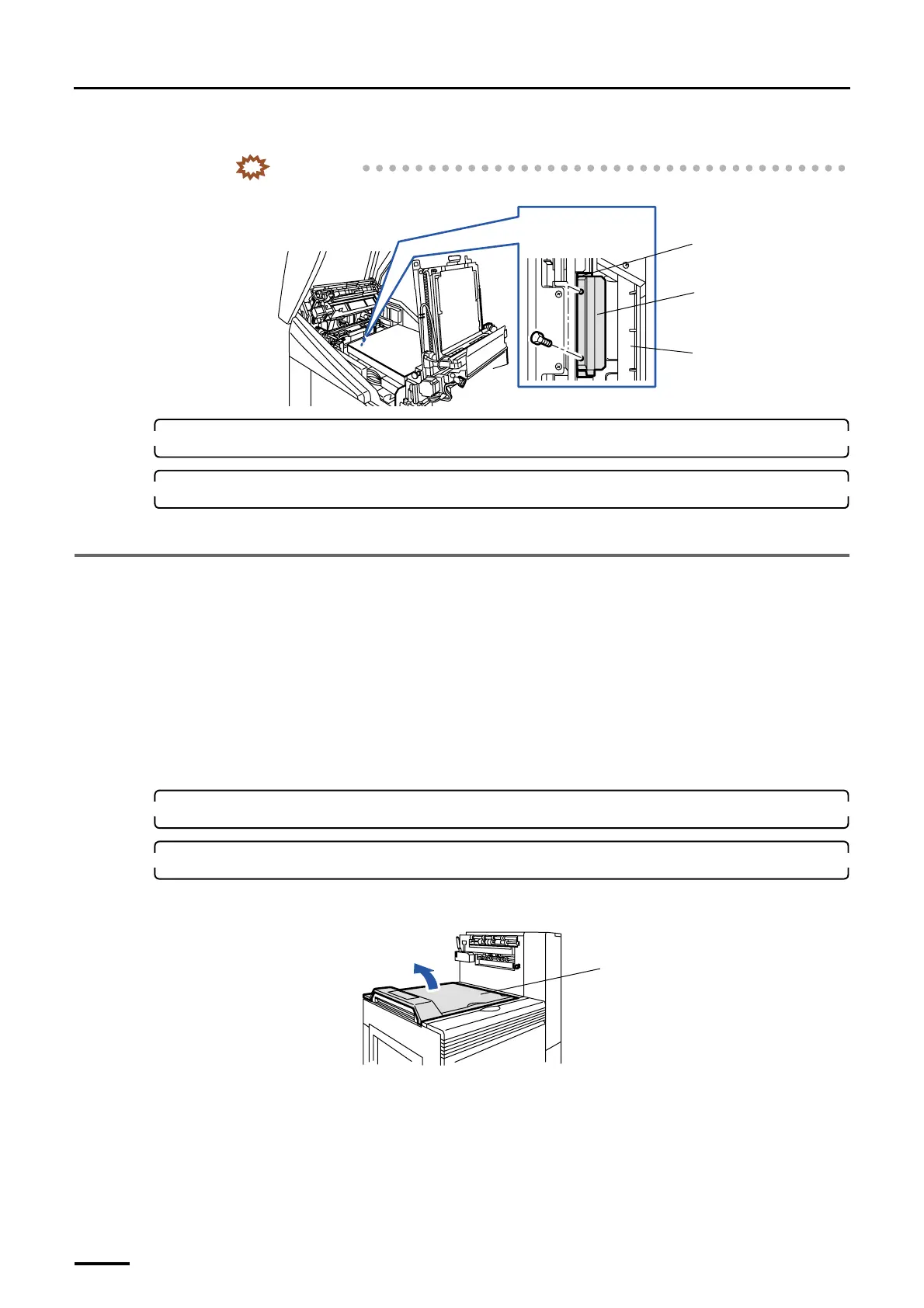
3 Removing the packing angle brackets
14
(3) Remove the packing angle bracket and the packing material. (two packing bolts)
IMPORTANT
• Be careful not to drop the removed bolts into the machine.
12. Return paper advance units 1 and 2 to their original positions.
13. Close the printer doors and the printer top cover.
This completes removing the packing angle brackets in the printer section.
3.2 Paper processor section
Removing method of the packing angle brackets in the paper processor section varies depending on the specifications. Make
sure the machine specification before start working.
• For the normal specification, refer to
☞3.2.1 Paper processor section [N].
• For SM specification, refer to
☞3.2.2 Paper processor section [SM].
3.2.1 Paper processor section [N]
Do not use the packing angle brackets and packing screws you have removed from the machine. Only use them when you are
instructed to do so.
1. Remove all the cardboards, adhesive tapes, ropes and packing materials from the machine.
2. Remove the packing angle brackets from the dryer section.
(1) Open the processor top cover.
Packing material
Packing angle
bracket
Viewed from above
Laser unit
G068920
Processor top cover
G071516
Distributed by: minilablaser.com



 To Next Page