v
Precautions for handling the optical fiber cable and LVDS
cable
The machine has sections in which the optical fiber cables and the LVDS cables are used.
Before handling the optical fiber cable and the LVDS cable, be sure to read the following precautions thoroughly, then start
work properly.
Precautions when handling the optical fiber cable
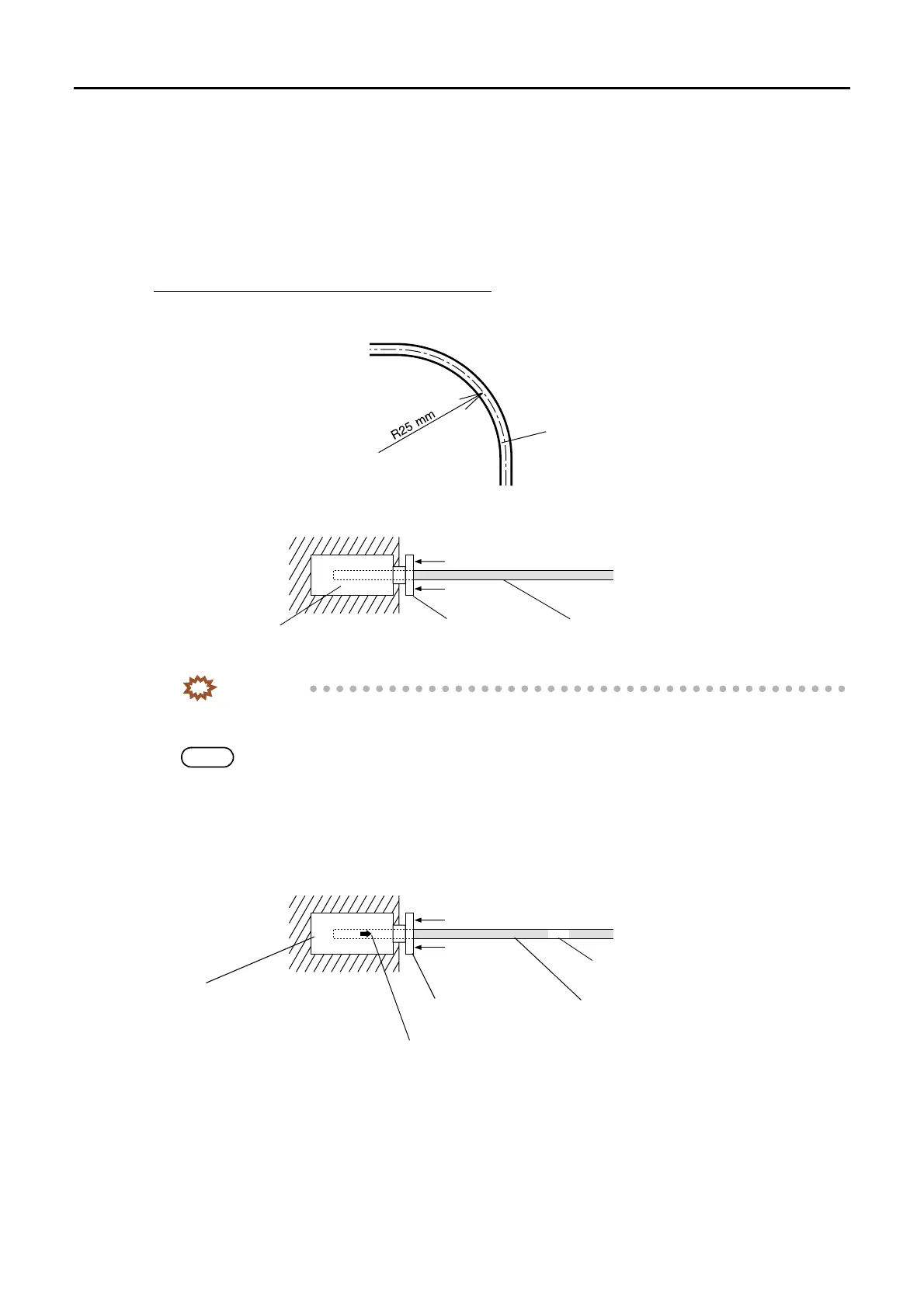
• Do not bend the optical fiber cable by R25 mm or less. The cable may break. Wire the cable with a bending radius of at
least R50 mm. When wiring the cable, do not use force. Do not secure the cable forcibly with mini-bands or clamps.
• When the optical fiber cable is to be removed from the PCB, pull the cable straight out while pressing part A in the
direction indicated by the arrow. When the cable is to be connected, push it straight as far as it will go.
IMPORTANT
• If pulling the optical fiber cable out forcibly without pressing part A, the sheath of the cable is broken and
a part of the sheath remains in the connector, resulting in the communication error.
NOTE
• Use the optical fiber cable pushing bar to pull it out when it is hard to reach part A.
The optical fiber cable pushing bar is a service personnel tool.
• Since the optical fiber cable is provided with IN side and OUT side, be careful to connect them correctly. If part A of the
connector on the PCB is white, the cable end should indicate OUT. If part A is black, the cable end should indicate IN.
The OUT cable end is marked using a white tape. There is no marking on the IN cable end.
OUT
Optical fiber cable
G051006
Optical fiber cablePart A
Connector on the PCB
G051007
The arrow on the connector indicates the direction to the connector.
Marking on the cable
Optical fiber cablePart A (White)
Connector on the PCB
G051008
Distributed by: minilablaser.com



 To Next Page