7 Filling the tanks with processing and replenishment solutions
77
(3) Reattach the upper guides.
9. Check the levels of printer and paper processor again.
If necessary, adjust the level.
10. Reattach the cover.
11. Close processor doors 1 and 2.
This completes filling the tanks with processing and replenishment solutions [N].
7.2 Filling the tanks with processing solutions and attaching the
replenishment packages [SM]
• Processing solution can cause eye irritation. Wear safety goggles.
• Processing solution can cause skin irritation. Wear rubber gloves and clothing for work wear.
1. Prepare to pour the processing solution.
(1) Pour water and chemical solution into the other container following the instructions in the Processing
Manual or that supplied with the chemical solution, and mix them. (For your convenience, use the
mixing tank.)
For tank capacity, refer to the Processor information in the Specifications.
IMPORTANT
• Use water at the temperature specified by the manufacturers of the chemical solution.
2. Wash the processing tanks.
Wash all the tanks according to the procedure below.
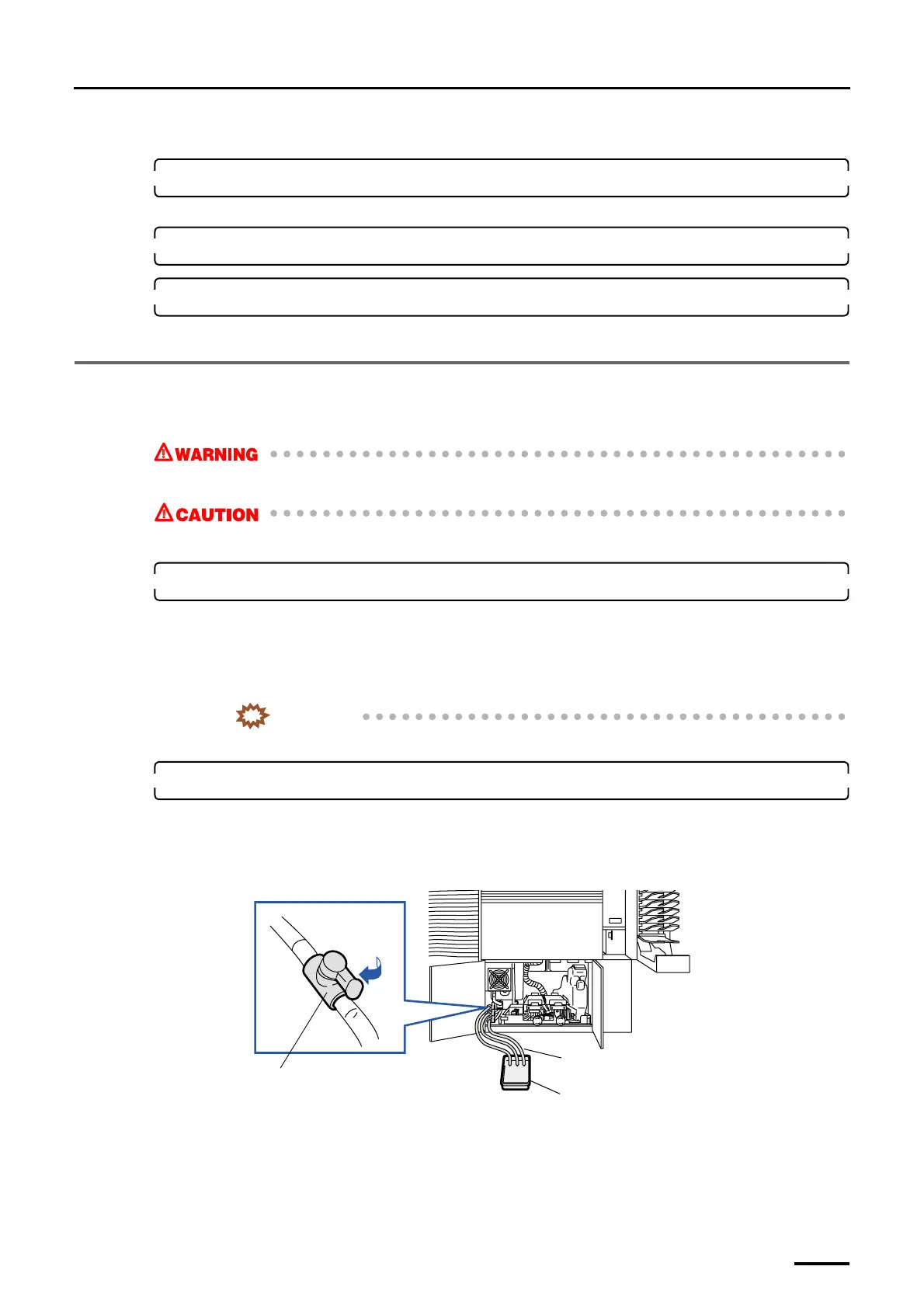
(1) Connect the hose to the drain valve of each processing solution tank, and put the other end of the hose
in a drain or a container.
(2) Open the drain valve of each processing solution tank, wash the inside of the tanks, and then close the
drain valves.
(3) Fill the processing solution tanks with water up to the overflow port, and then ensure that there is no
water leakage.
(4) If there is no water leakage, open the drain valve to discharge the water from the tank.
Drain valve
Hose
Container
G071468
Distributed by: minilablaser.com



 To Next Page