3 Removing the packing angle brackets
18
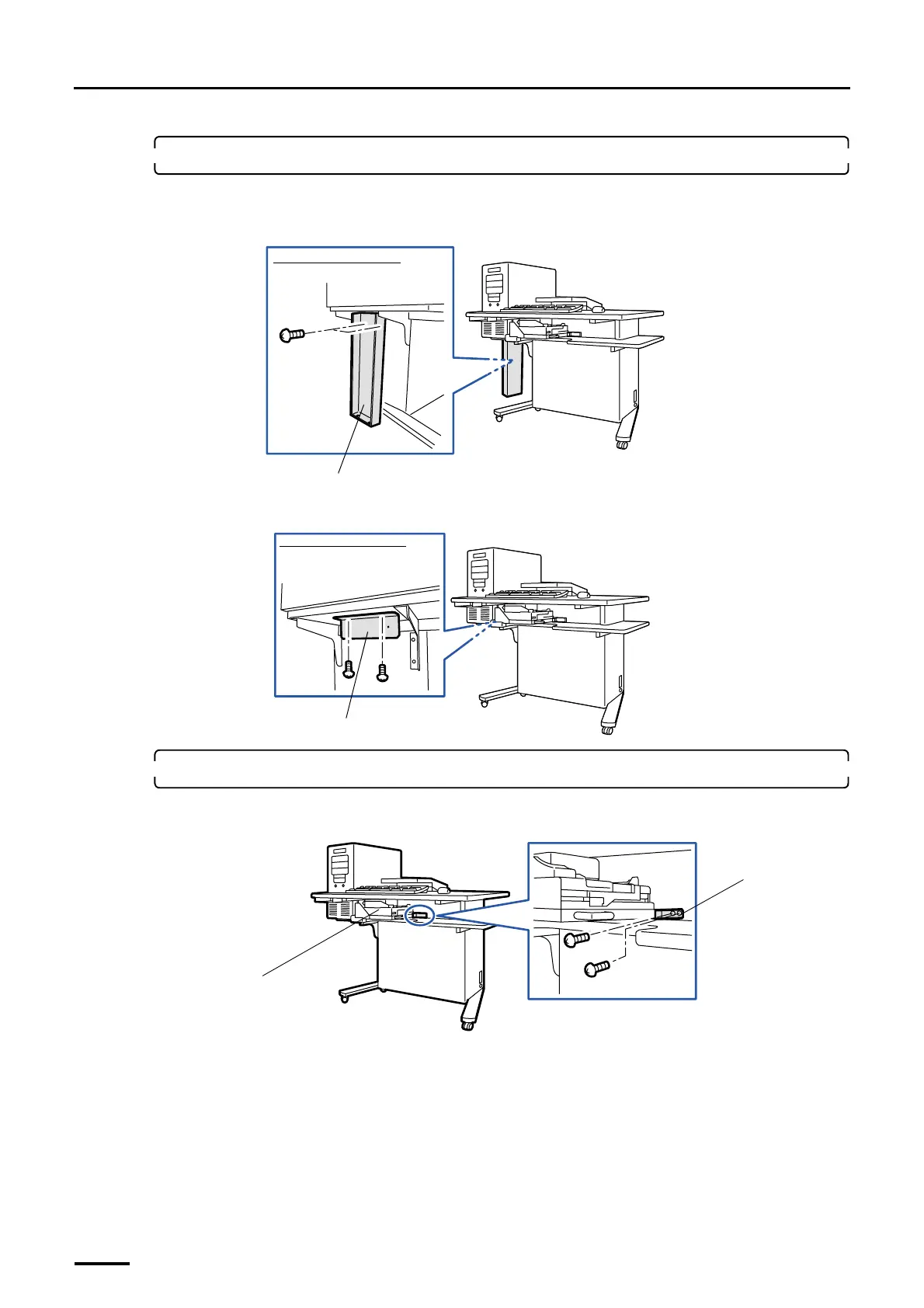
2. Remove the packing angle brackets from the desk section.
These brackets are attached to the machine shipped outside Japan.
(1) Remove packing angle bracket 1. (two packing screws)
(2) Remove packing angle bracket 2. (two packing screws)
3. Remove the packing angle bracket from the colorimeter unit.
(1) Remove the two packing screws fixing the packing angle bracket.
Packing angle bracket 1
Viewed from the left side
G072516
Packing angle bracket 2
Viewed from the left side
G072517
Colorimeter unit
Packing angle
bracket
G068921
Distributed by: minilablaser.com



 To Next Page