4 Installing the component parts and units
36
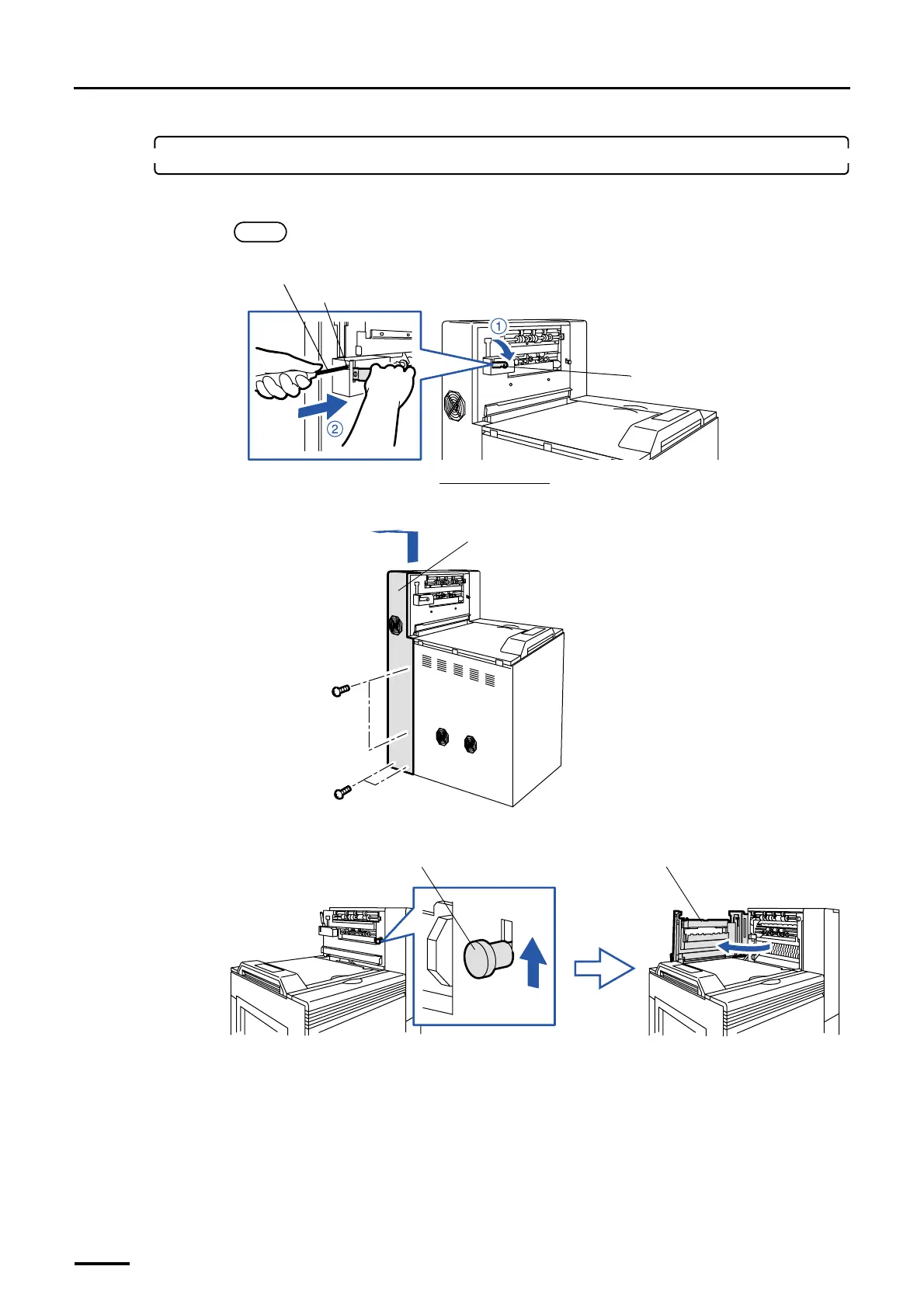
2. Attach the print conveyor unit.
(1) Lower conveyor stay 2 and insert the philips blade screwdriver (large) to the square hole.
NOTE
• This step is for not damaging the print conveyor unit when attaching it.
(2) Remove the processor drive cover. (four screws)
(3) Raise the lever and open the dryer door.
Conveyor stay 2
Square hole
Viewed from the back
Philips blade screwdriver (large)
G068959
Processor drive cover
G068892
Lever
Dryer door
G068887
Distributed by: minilablaser.com



 To Next Page