5 Installing the machine and adjusting the level
71
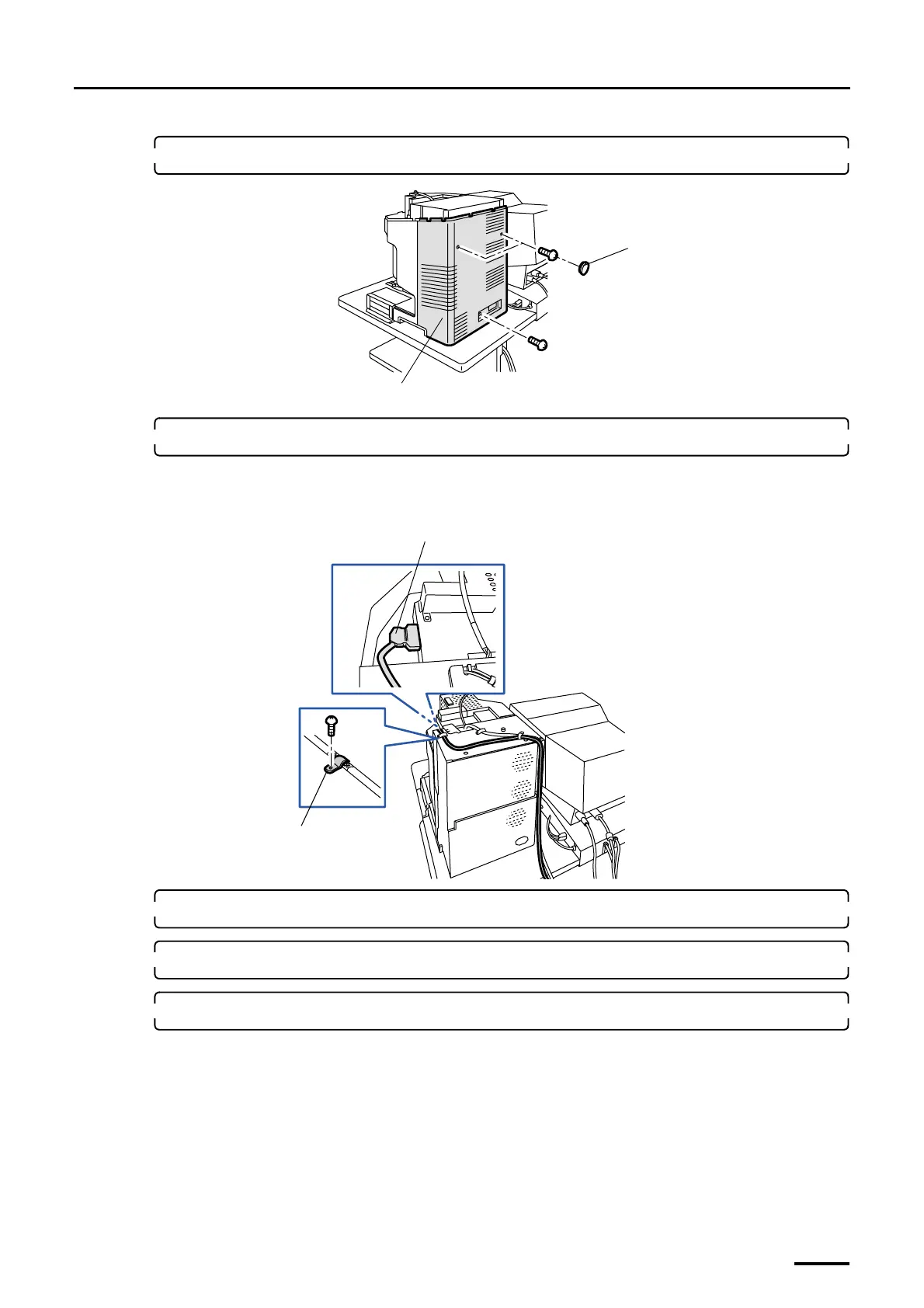
3. Remove the scanner rear cover. (two caps and three screws)
4. Connect the LVDS cable to the scanner.
Fix the cables with the FG clamp along the groove on the back of scanner.
• For details about how to handle the LVDS cable, refer to ☞Precautions for handling the optical fiber cable
and LVDS cable.
5. Reattach the scanner rear cover.
6. Connect the power cable.
7. Reattach the scanner top cover.
This completes connecting the scanner section to the desk section (signal cable).
Scanner rear cover
Cap
G068930
FG clamp
LVDS cable (J/P60)
G075180
Distributed by: minilablaser.com



 To Next Page