Chapter 7 - Understanding the Routes Function
957 Operator’s Manual, Rev. B Page 91
4. As you pass the location of each new waypoint, press the
SAVE key. The vessel’s location will be saved as a way-
point, and the waypoint will automatically be added to
the route being saved. The waypoint is stored with a
name similar to (0001). The parentheses indicate that the
waypoint is part of a saved route, and the four-digit num-
ber uniquely identifies each waypoint. Each waypoint is
automatically given a description with the time and date
you stored the waypoint.
Note: While you’re automatically saving a route, you can
access all of the 957’s navigation functions (except you
can’t edit the route you’re presently saving).
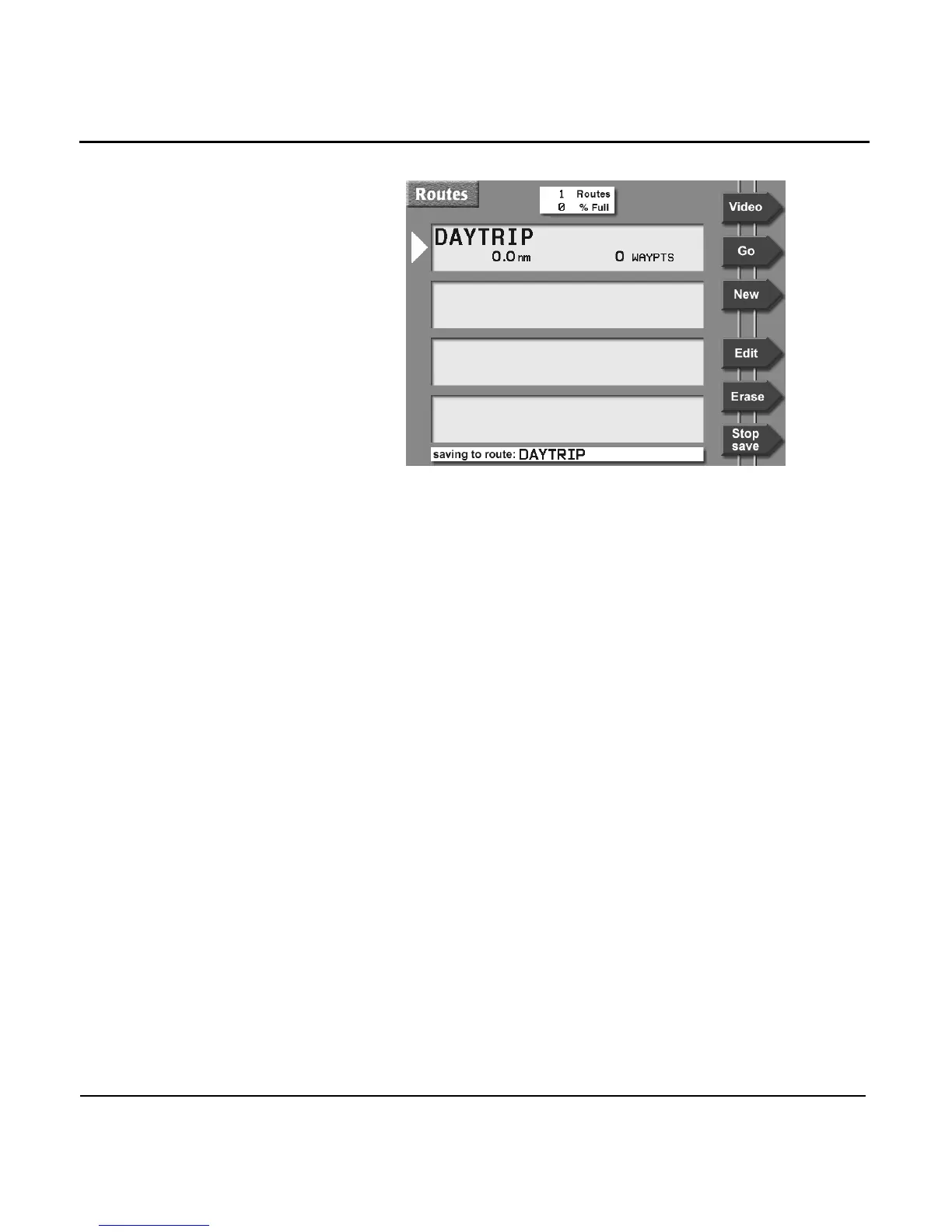
If at any time you’re not sure if you’re still saving a route,
press the WAYPTS/ROUTES key, then the ROUTES menu
key to display the ROUTES screen. If you’re still saving a
route, the message SAVING TO: will be at the bottom of
the screen.
To stop saving a route as you travel:
1. Press the WAYPTS/ROUTES key, then press the ROUTES
menu key.
2. Press the STOP SAVE menu key. At the question window
(STOP SAVING TO ROUTE XXX?), press the ENTER key to
answer yes.



 To Next Page